


Cricut Explore 5 review: the best craft gadget for you if you’re just starting out
Cricut’s smallest, cheapest Explore machine cuts quicker than ever, but the companion software hasn’t caught up.
The Cricut Explore 5 is the easiest entry point into home crafting Cricut has ever built. It’s 30 percent smaller than the outgoing Explore 4, comes in at £199.99 for the machine alone, and cuts noticeably faster than anything wearing the Explore badge before it. If you want to make vinyl decals, iron-on t-shirts, greeting cards or stickers without committing to a bulkier, pricier Maker-series machine, this is where to start. The catch is Cricut Design Space, the free companion app you’re tied to for every single project, which still has the same layout quirks and auto-arranging headaches that have frustrated crafters for years. Buy this for the hardware. Just budget some patience for the software.
Pros and Cons
Pros:
- £199.99 machine-only price, Cricut’s most affordable full-size cutting machine to date
- 30 percent smaller and roughly 10 percent lighter than its predecessor, at 502 x 190.5 x 119mm and around 4.5kg
- Cuts noticeably faster than older Explore and Maker-series machines, especially with Smart Materials that skip the mat
- Redesigned scoring tool and snap-in pen holder make cards and drawing projects genuinely easier to set up
- Works with 100+ materials and ships with enough bundled supplies for up to 30 to 65 projects depending on the bundle
Cons:
- Cricut Design Space’s “Make It” screen still auto-rearranges your finished layout, undoing careful manual placement
- Capped at roughly 2mm material thickness and six compatible tools, well short of the Maker line’s 300+ material, 3mm-plus capability
- No USB-C, and the new pen system isn’t backwards-compatible with older Cricut pens without an adapter
Quick Specs
| Spec | Cricut Explore 5 |
|---|---|
| Price | £199.99 (machine only, UK) / £249.99 Essentials Bundle / $199 (US) |
| Cutting width | 12 in (30.5cm) |
| Max material thickness | Approx. 2mm |
| Materials supported | 100+ |
| Compatible tools | 6 (Fine-Point, Deep-Point, Scoring, Foil, Debossing, Engraving accessories) |
| Weight | Approx. 4.5kg (9.9 lbs) |
| Dimensions | 502 x 190.5 x 119mm |
| Connectivity | USB and Bluetooth |
| Power | Mains adapter, no battery, no USB-C |
| Software | Cricut Design Space (Windows, macOS, iOS, Android) |
| Colours | Taupe, Teal |
| Release date | 27 February 2026 |
Price and Availability
The Cricut Explore 5 launched worldwide in late February 2026 at £199.99 for the machine alone in the UK, despite the newer machine being smaller and quicker than the Explore 4 it replaces. An Essentials Bundle (extra tools, cutting mat, a stack of vinyl, iron-on and cardstock) runs £249.99 through Cricut’s own site before regular discounting brings it closer to £235-240. In the US, the equivalent pricing is $199 machine-only and $249 for the Essentials Bundle. In Australia, where craft retailer Spotlight stocks it, the equivalent bundle carries a A$449 RRP that regularly drops to around A$359 in-store.
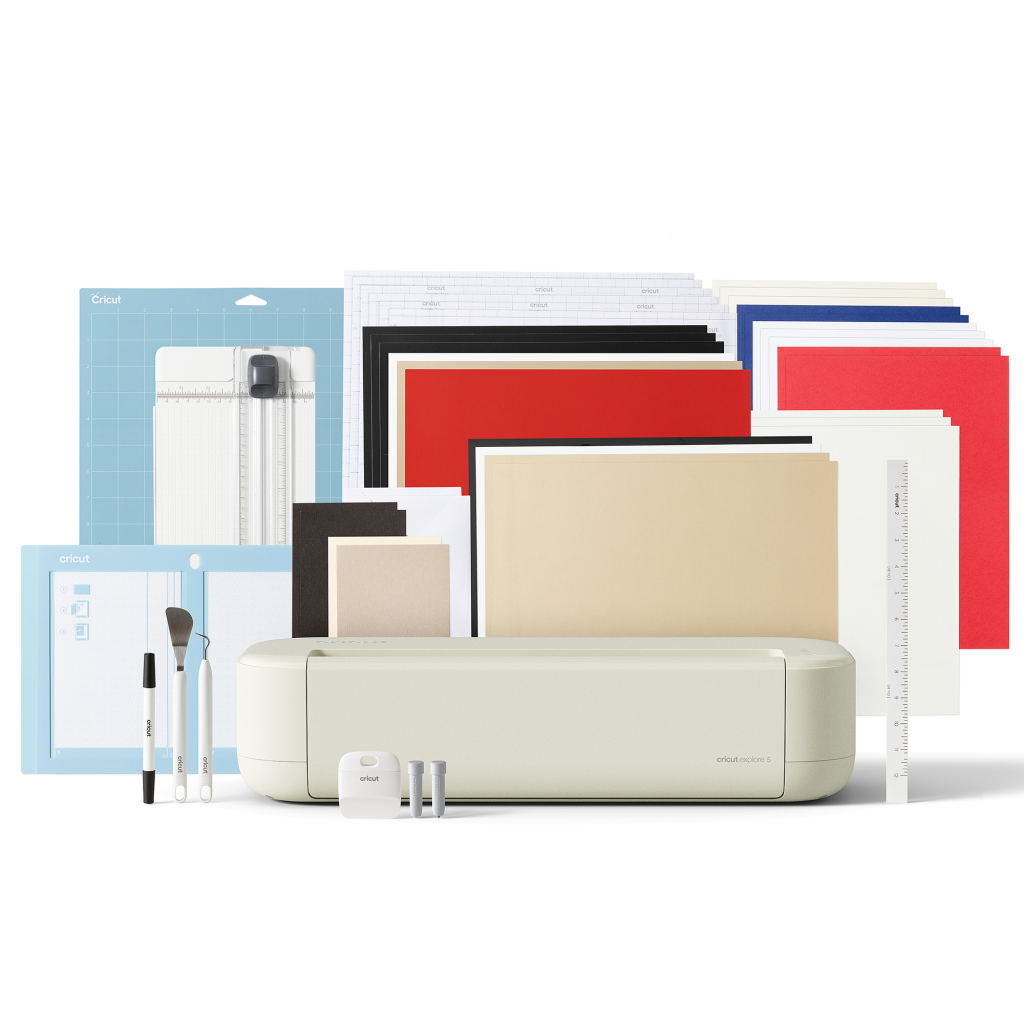
That Essentials Bundle is genuinely worth considering over the bare machine for first-time buyers. For roughly £50 more than the machine alone, you get a fine-point blade, the new scoring tool, a dual-tip marker, transfer tape, cardstock, insert card sets and enough Smart Vinyl and Smart Iron-On to get through around 65 projects before you need to buy anything else. Cricut also sells pricier Ultimate Plus bundles that throw in an EasyPress Mini for heat transfer work, and various Cricut Access subscription tie-ins that unlock the bulk of its 1.5 million-image design library for a recurring monthly fee, though none of that is required to use the machine. Cricut’s own UK site offers instalment plans through PayPal and Klarna on most bundles, which is worth knowing if the Ultimate Plus tier’s higher upfront cost is the only thing giving you pause.
Where This Sits in Cricut’s Lineup
Cricut has been the dominant name in home cutting machines since well before the pandemic-era crafting boom turned “getting a Cricut” into a genuine cultural moment, and the Explore 5 arrives as part of a wider refresh rather than a one-off update. It launched alongside the Cricut Joy 2, a smaller sibling aimed at simple label and card projects, and sits below the Maker line, the brand’s heavier-duty range for fabric, wood and thicker materials, which has itself since moved on to a 5th generation. That three-tier structure, Joy for the smallest jobs, Explore for everyday vinyl and paper crafting, Maker for anything demanding, hasn’t changed with this release. What has changed with the Explore tier is the size and speed on offer, packed into a machine that’s smaller than anything wearing the badge before it.
Design and Build
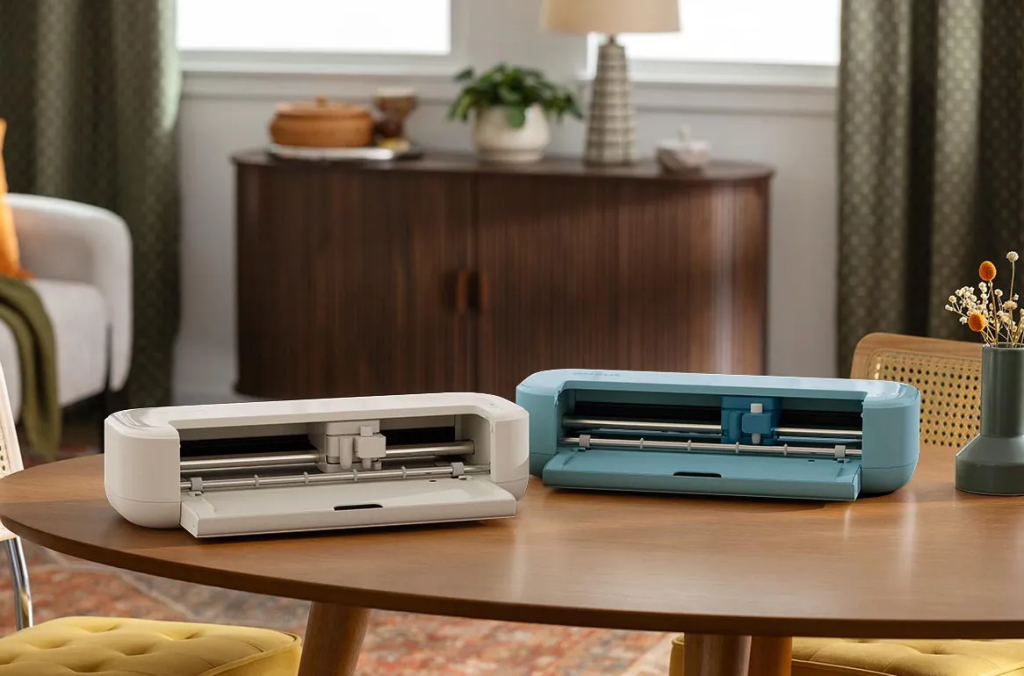
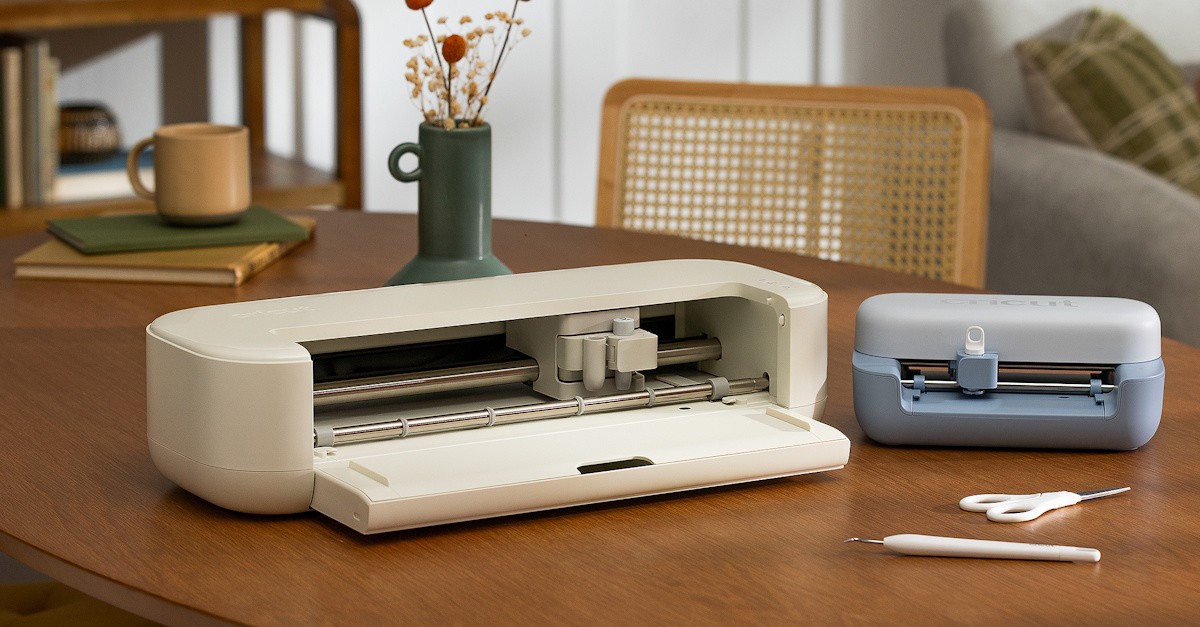
The headline change here is size. Cricut says the Explore 5 is 30 percent more compact than the Explore 4, and in practice that’s the difference between a machine that dominates a desk and one that can live on a shelf between projects. Gone is the top cover that Cricut machines have carried since the original Explore launched back in 2014. In its place is a simple drop-down front tray, which looks less finished but means less plastic and a smaller footprint overall.
There’s no physical power button either. The Explore 5 switches on the moment its DC barrel connector is plugged into the wall, which is a small thing to get used to if you’re coming from a machine with a proper switch, and it means no USB-C charging despite USB-C’s near-universal adoption elsewhere. Connectivity itself is flexible: you can run it over USB or Bluetooth, and Bluetooth in particular makes sense if the machine ends up living somewhere other than right next to your laptop, which is exactly how most crafters seem to use it.
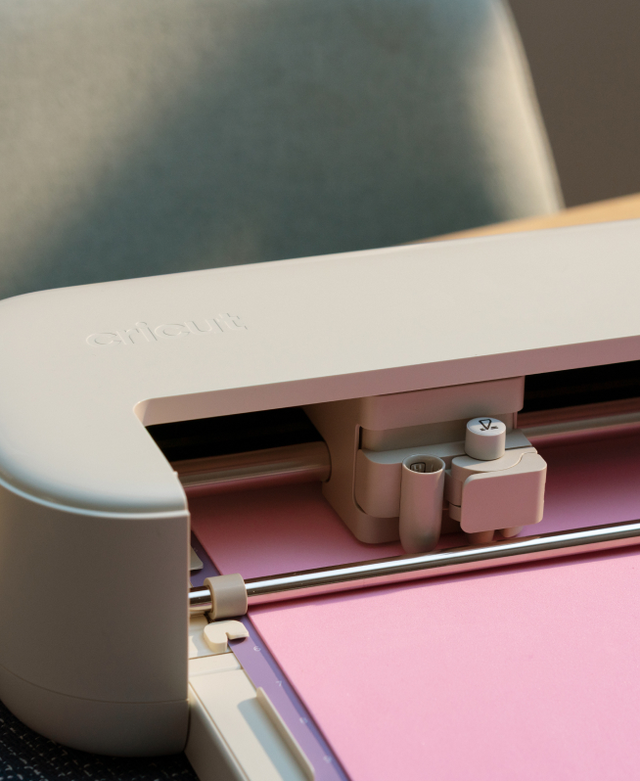
Cricut has also redesigned the tool experience for this generation. The new scoring tool, used for pressing clean fold lines into cards, snaps into a redesigned pen holder that’s noticeably easier to seat than the old friction-fit design. The trade-off is compatibility: pens designed for older Cricut machines don’t fit the new holder without buying a separate Legacy Pen Adapter, which is an annoying tax on anyone who’s already built up a pen collection over the years. The Explore 5 ships in a new Taupe colourway, with a Teal option also available, moving away from the brighter, more toy-like finishes of earlier Cricut machines toward something that looks more at home as a permanent fixture on a countertop.
Setup and First Use
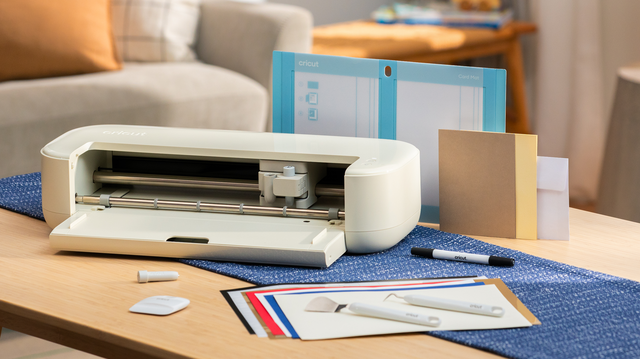
Getting the Explore 5 running follows the same pattern Cricut has used for years, and that’s mostly a good thing. Plug it in, install Design Space on a phone, tablet or computer, and the app walks you through activating the machine against your Cricut account and pulling down any pending firmware updates before you cut anything. From there, the fastest path to a finished project is picking a pre-made template from Design Space’s library, dropping in your own text, photo or monogram, and hitting send. It’s a genuinely low-friction way to get a first project finished inside twenty minutes of unboxing, which matters for a machine clearly aimed at people who’ve never used one before.
Anyone with a few years of Cricut experience under their belt, or a family member happy to request custom projects, will find themselves pushed past the templates fairly quickly. Splitting a multi-colour design into separate cut layers, sourcing your own artwork through a graphics package or an AI image tool, and lining up registration marks for iron-on transfers are all achievable on the Explore 5, and the payoff, a t-shirt or tote bag that doesn’t exist anywhere else, is the entire appeal of owning one of these machines in the first place.
Performance and Real-World Use
Cricut doesn’t publish a like-for-like top speed figure against the Explore 4, but the difference is noticeable in daily use, especially once you switch to Smart Materials. These use a stiffer backing that lets the machine’s rollers grip the material directly, which means you can skip the cutting mat entirely and feed longer pieces through in one pass. That’s the fastest and most reliable way to use this machine, and it’s clearly where Cricut wants first-time buyers to start.
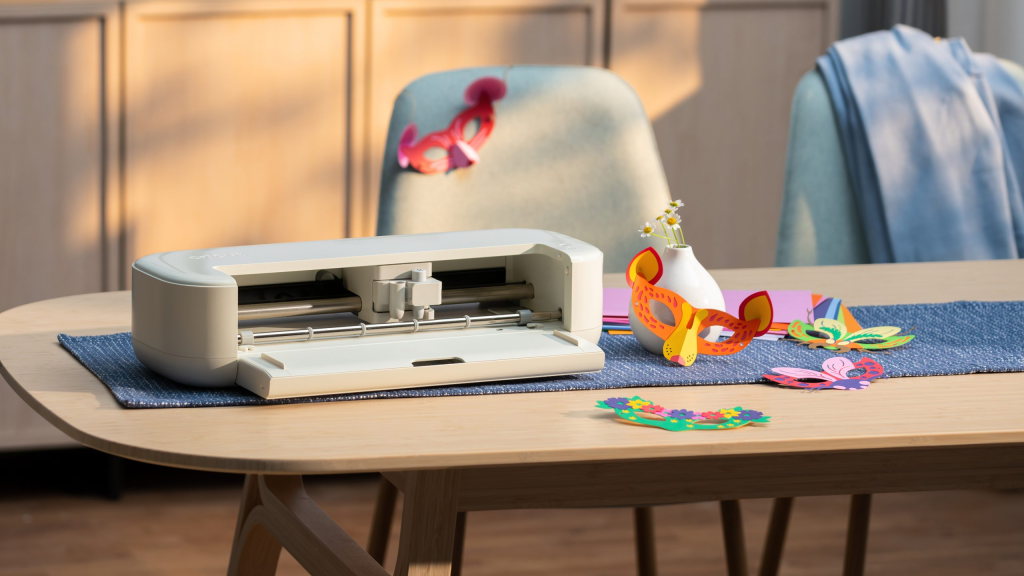
Real-world projects bear this out. Iron-on transfers for custom t-shirt designs, multi-colour vinyl decals that need separate layers cut and aligned, greeting cards using the redesigned scoring tool for crisp fold lines, and basic sticker sheets are all comfortably within this machine’s wheelhouse, and all noticeably quicker to produce than on the outgoing Explore generation. Multi-colour iron-on work is the one area that still takes patience regardless of the machine’s speed: each colour has to be cut, weeded and pressed separately, so a two-tone design effectively doubles the hands-on time even though the machine itself isn’t the bottleneck.
The trade-off for that cutting speed is capability at the edges. This is rated for roughly 2mm material thickness and tops out around 100-plus materials, mostly vinyl, iron-on, cardstock and printable media. If you’re hoping to cut basswood, thicker leather or fabric for sewing projects, that’s Maker-series territory, not Explore, and no amount of Smart Materials cleverness changes that ceiling.
One area of genuine improvement is noise. The Explore 5 runs noticeably quieter than older Cricut machines mid-cut, which matters more than it sounds like it should if this thing is going to live on your dining table rather than tucked away in a craft room.
Software: Cricut Design Space
Every Cricut machine lives or dies by Design Space, the free companion app that handles everything from picking a template to sending the final cut job to the machine, and that hasn’t changed with the Explore 5. The core experience is still template-driven and genuinely approachable for total beginners: pick a pre-made card, sticker sheet or iron-on design, drop in your own text or photo, and send it to the machine. Plenty of the library is free; the more elaborate stuff sits behind a Cricut Access subscription.
Where Design Space still lets the hardware down is in its handling of custom projects. Build your own layout by hand, arrange every element exactly where you want it, and hitting “Make It” will frequently reorganise your carefully placed pieces into what Cricut’s algorithm considers the most efficient arrangement for cutting, which is rarely what you actually wanted, especially for anything using multiple colours or overlapping elements. Crafters who’ve been using the platform since it launched will already know the workarounds, chiefly welding elements together so Design Space can’t separate them, but that introduces its own headache if a welded design then exceeds the machine’s maximum cut size, forcing you to unweld and manually recheck the dimensions. A basic print-and-cut guide overlay, so you can see your actual working area before committing to a layout, remains a conspicuously absent feature for software this mature.
None of this is unique to the Explore 5, and it says more about how long Design Space has gone without a meaningful usability pass than it does about this specific machine. But buyers should know that the hardware improvements here have outpaced the software they’re tied to.
Also Consider
Cricut Maker 5 (£349.99 machine only, £399.99 Essentials Bundle): If you need to cut fabric, basswood, leather or anything thicker than card and vinyl, step up to Cricut’s own Maker line, now on its 5th generation. It handles 300-plus materials at up to 3mm thickness, engraves materials like metal and acrylic up to 3mm, and works with 13 compatible tools, at roughly double the Explore 5’s starting price. Cricut has already retired the Maker 4 from its own UK store in favour of this model, though old Maker 4 stock is still floating around at some third-party retailers.
Silhouette Cameo 5 (from around £309): Cricut’s longest-running rival covers similar ground to the Explore 5, cutting vinyl, cardstock and iron-on at a comparable price, and its Silhouette Studio software is a genuine alternative for anyone who’s bounced off Design Space’s quirks over the years. It handles slightly thicker materials at up to 2.4mm and adds embossing and engraving functions the Explore 5 doesn’t offer, though it doesn’t match the Explore 5’s raw cutting speed once Smart Materials come into play.
Cricut Joy 2 (£99.99 machine only, £129.99 Essentials Bundle): Launched alongside the Explore 5, this is Cricut’s pocket-sized option for smaller projects like labels, cards and mini decals. It’s cheaper and even more compact, but it caps out at a narrower cutting width and simpler tool selection, so it suits occasional crafters rather than anyone planning regular, larger projects.
Who It’s Actually For
Strip away the spec sheet and the Explore 5 makes the most sense for three fairly specific buyers: someone crafting for the first time and put off by the size or price of a Maker-series machine, an existing Cricut owner upgrading from a much older Explore who wants the speed and space savings, and anyone who wants a small, quiet machine that can live somewhere visible in the house rather than being dragged out of storage for occasional projects. It makes rather less sense if you already own a Maker 4 or Maker 3 and don’t have a space problem, since you’d be paying to downgrade capability for a size reduction you don’t actually need.
Final Verdict
The Cricut Explore 5 is the rare piece of hardware that gets smaller and faster without asking you to pay more for the privilege, and for anyone shopping for their first cutting machine, that combination is hard to argue with. At £199.99 for the machine alone, it does everything the Explore 4 did a little quicker and in a noticeably smaller footprint. The redesigned scoring tool and snap-in pen holder are genuine quality-of-life wins, and the jump to Smart Materials cutting is the single best reason to consider this over an older Cricut machine gathering dust in a cupboard.
Where it falls short is entirely on the software side. Cricut Design Space remains capable but unpolished, and its habit of quietly rearranging finished layouts is the kind of friction that will frustrate exactly the beginners this machine is aimed at. That’s a Cricut-wide problem rather than an Explore 5-specific one, but it’s worth going in with your expectations set correctly.
Buy this if you want an affordable, genuinely quick entry point into vinyl, cardstock and iron-on crafting, and don’t mind working around a companion app that’s overdue a refresh. Skip it if you already own a Maker-series machine and don’t need the smaller footprint, or if your projects regularly call for thicker or heavier-duty materials the Explore line was never built to handle.