




What Even Is a Googlebook? A Plain-English Guide to Google’s New Laptop Category
Google just invented a new type of laptop, killed the Chromebook’s identity in the process, and didn’t explain any of it clearly. Let’s fix that.
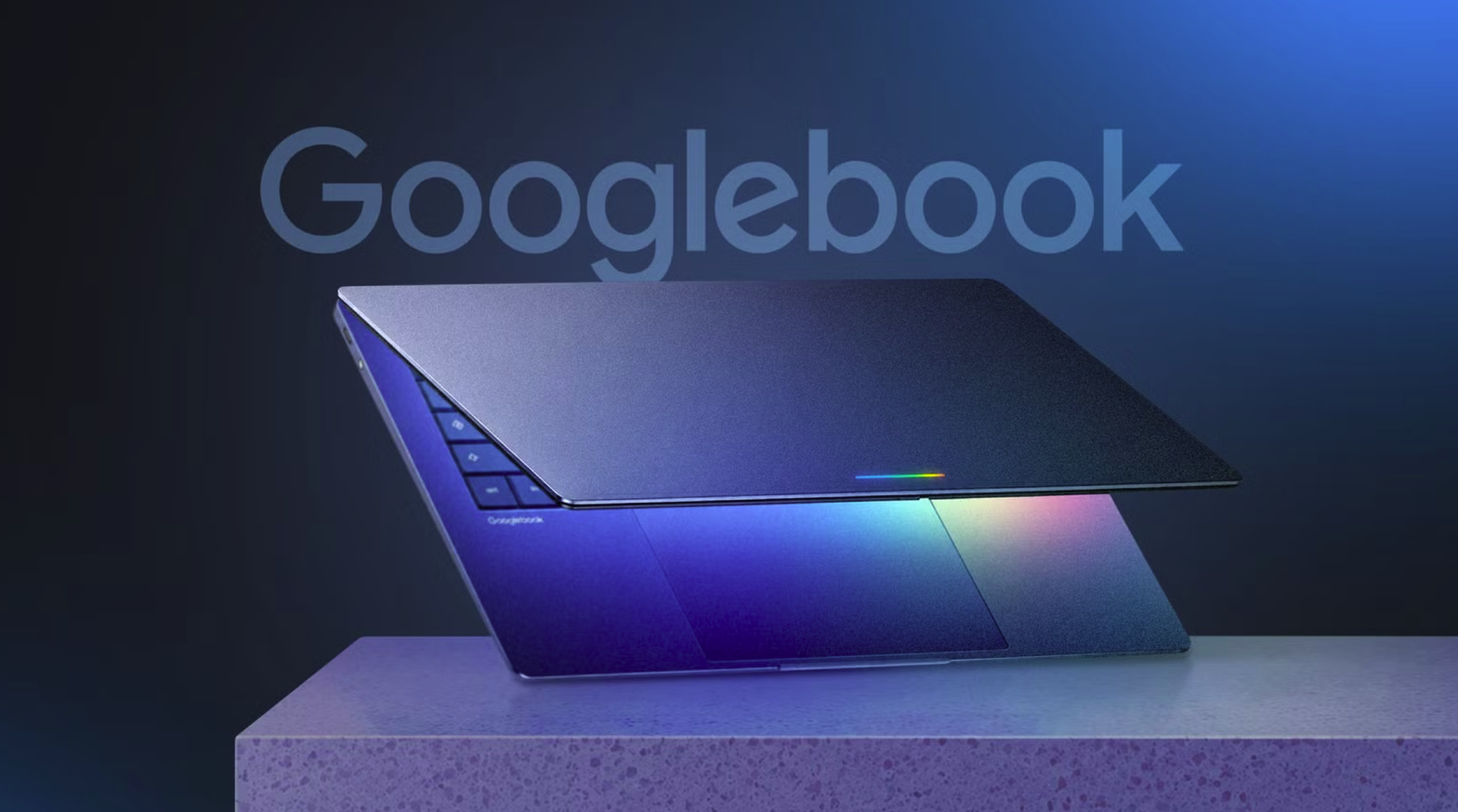
On May 12, Google announced the Googlebook. Not a phone. Not a tablet. Not a Chromebook. Something new, with a glowing LED strip on the lid, a cursor that activates an AI assistant when you wiggle it, and five major PC manufacturers building versions of it to ship in autumn 2026.
The announcement generated significant coverage and almost no clarity about what a Googlebook actually is, why it exists, how it differs from the Chromebook sitting next to it in the product catalogue, and whether any of it matters to anyone who just wants to buy a laptop.
Here is the complete, plain-English breakdown.
Start Here: Googlebook Is Not a Chromebook
This is the most important thing to understand first, because the confusion between the two is the source of most of the noise around the announcement.
A Chromebook runs ChromeOS, Google’s browser-based operating system. ChromeOS launched in 2011 and was designed around the premise that most computing happens in a browser. It is lightweight, fast, secure, and cheap. It does not run full Windows applications. It does not run macOS applications. What it runs is Chrome, Android apps (added later), and a growing set of Linux apps. Chromebooks have historically cost between $200 and $500 and aimed at students, education institutions, and people who primarily live in Google’s ecosystem.
A Googlebook runs a new unified platform that merges Android and ChromeOS into a single operating system. This is important: it runs Android. That means every Android app, all 3 million-plus of them, runs natively on a Googlebook as a full application rather than as a mobile app in a compatibility layer. The Google Play Store is the Googlebook’s app store. The device connects to Android phones as a first-class companion, with a feature called Quick Access that lets you view, search, and insert files from your phone directly into the Googlebook without transferring them.
The result is a laptop that is more like a very large Android tablet with a keyboard than like a traditional laptop, which is either exciting or concerning depending on your perspective.
Why Android and Not ChromeOS?
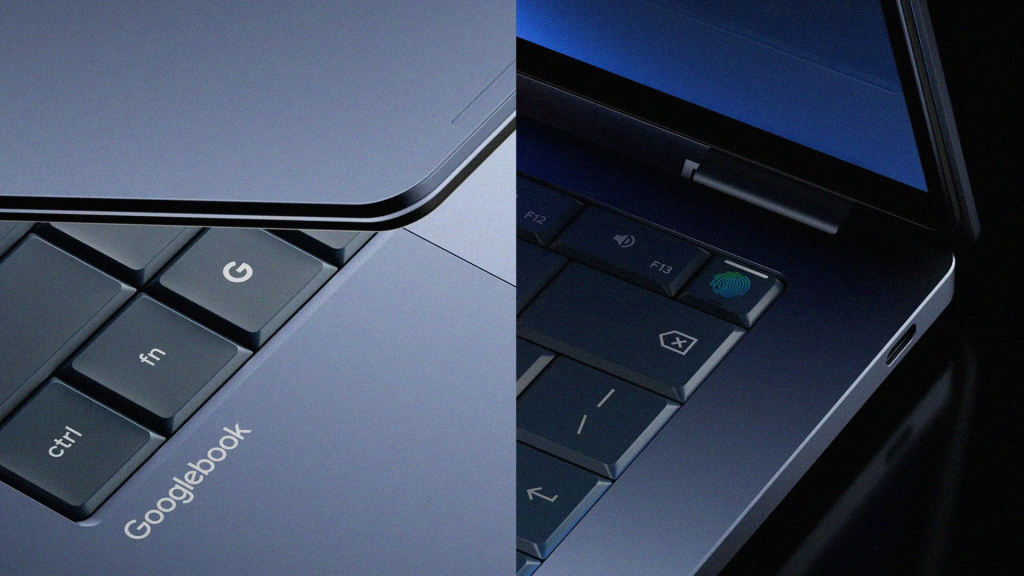
Google has been working to merge Android and ChromeOS for several years. The project has been visible in incremental steps: Android apps came to Chromebooks. Linux apps came to Chromebooks. ChromeOS adopted more Android-style interface conventions. The Googlebook is the point where Google decided to stop layering one onto the other and commit to a single foundation.
The practical reason is the app ecosystem. Android’s app library is vastly larger and more current than ChromeOS’s. Developers who build Android apps now build for Googlebooks automatically. Developers who built ChromeOS-specific apps were always a smaller and more reluctant group. By unifying the platform, Google removes the developer friction that has limited what Chromebooks can do.
The philosophical reason is the AI strategy. Gemini, Google’s AI assistant, is deeply integrated into Android in ways it was never integrated into ChromeOS. The Magic Pointer, the Googlebook’s headline interface feature, uses Gemini to understand what is on screen and surface contextual suggestions as you navigate. That kind of integration is significantly easier to build on Android’s foundation than on ChromeOS’s browser-centric architecture.
The honest reason, which Google has not said directly, is that ChromeOS never became the mainstream platform Google hoped it would be. It succeeded in education and in developing markets. It did not crack the mainstream consumer laptop market in the way Google wanted. Googlebook is a reset.
The Magic Pointer: What It Actually Does
Google’s product team described the Magic Pointer as “truly smart and intelligent” in their briefing notes, which is not helpful. Here is what it does in practice.
The Magic Pointer is the cursor. On a standard laptop, the cursor is a pointer that clicks on things. On a Googlebook, the cursor has Gemini built in. When you hover over a date mentioned in an email, the Magic Pointer surfaces a one-tap option to add that event to your Google Calendar. When you select two photos in Google Photos, it offers to blend or compare them using Gemini’s image tools. When you’re looking at a product in a browser, it can pull pricing context from Google Shopping without you opening a new tab.
According to Google, the Magic Pointer activates when you “wiggle” the cursor on screen. This is a software behaviour that will become natural within a day or two of using the device, similar to how swiping gestures on a trackpad feel unfamiliar for the first week and then become automatic.
The announced functions include what Google calls Ask (query Gemini about whatever is on screen), Compare (surface contextual comparisons for products, flights, or restaurants), and Combine (merge or modify images). Create My Widget, a separate but related feature, lets you generate custom Android widgets for your Googlebook home screen using a text prompt.
The honest assessment, available even before any device has shipped, is that the Magic Pointer is a promising interface concept being built on top of a feature, Gemini, that is still maturing. When Gemini’s contextual understanding is accurate and fast, the Magic Pointer will be genuinely useful. When it is not, wiggling the cursor and getting an irrelevant suggestion will be annoying. Both outcomes are realistic for the first generation of these devices.
The Glowbar: What the LED Strip on the Lid Is For
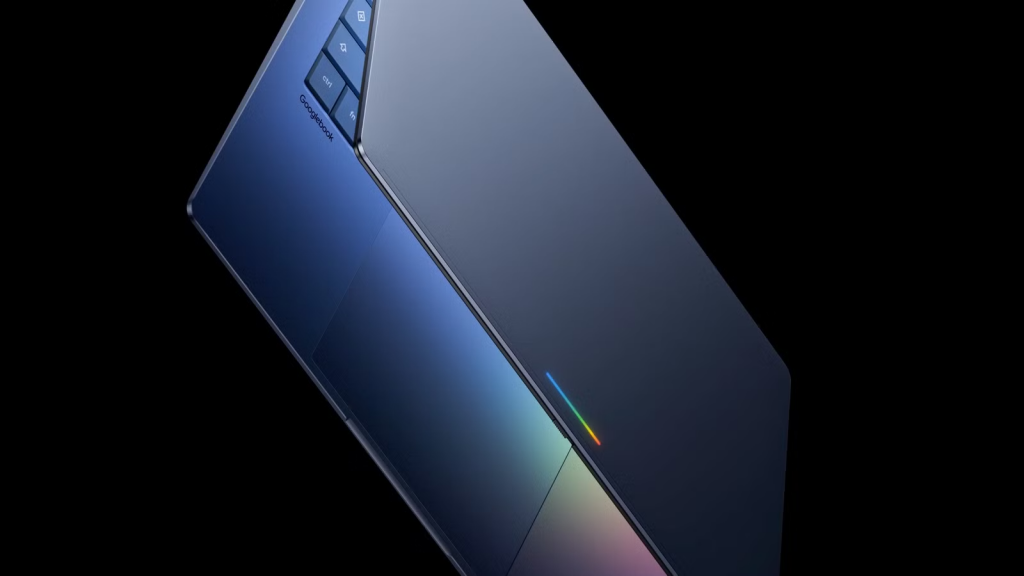
Every Googlebook, regardless of which manufacturer builds it, will have a Glowbar: an LED strip embedded in the lid. Google describes it as the visual identifier for the product category.
The Glowbar on the original Chromebook Pixel, launched in 2013, indicated battery level when you tapped the lid. The Googlebook Glowbar’s full functionality has not been disclosed. What Google has confirmed is that it reacts with light animations when Gemini is actively processing a request, making the AI assistant’s activity visible in a way that a screen interaction does not. Whether it will serve additional functions, including battery status, custom colour themes, or notification alerts, is not yet clear.
The Glowbar is not a gimmick in the sense of being purely aesthetic. Making AI processing visible on the outside of a device addresses a real user experience problem: when you send a request to a background AI process, you currently have no indication of whether it is working, stalled, or ignored. A physical light that pulses while Gemini is thinking is a functional status indicator. Whether users will find it useful or distracting will depend heavily on implementation.
Who Is Building Googlebooks?
Google will not manufacture Googlebooks itself. The hardware comes from Acer, Asus, Dell, HP, and Lenovo. These are the five largest Windows PC manufacturers, and all five are on board from launch.
This is a strategic choice that mirrors how Google handled Android on phones. Google defines the platform, sets the design requirements (including the Glowbar), and takes a share of services revenue. Manufacturers build and sell the devices. The consumer benefits from manufacturing competition, which should keep prices competitive. The risk is the same as Android: fragmentation. Different manufacturers will make different hardware decisions, and the quality spread between a premium Googlebook from Dell and a budget Googlebook from a lesser brand will likely be significant.
The pricing guidance from Google has used the word “premium” when describing the initial device quality, which suggests the first Googlebooks will not undercut the MacBook Neo at $599. MacRumors noted that Google positioned the Googlebook against the Neo specifically, suggesting competitive pricing is the goal. But “premium” and “$300 entry-level” do not mean the same thing, and until specific devices are priced and reviewed, the MacBook Neo remains the more complete answer for budget laptop buyers.
Does It Actually Replace a Chromebook?
Officially, no. Google confirmed to multiple outlets that Chromebooks will continue and existing devices will receive updates through their current support commitments. If you own a Chromebook today, nothing changes immediately.
Practically, yes, over time. The Googlebook is where Google’s laptop investment is going. The manufacturer roster, the platform investment, and the AI integration story are all pointed at Googlebook. Chromebook will continue as an education-focused, low-cost category. The mainstream laptop ambition has shifted.
For buyers considering a Chromebook purchase right now: the calculus has changed. If you were planning to spend $300 to $500 on a Chromebook, hold that decision until autumn. Googlebook devices at that price point may offer a significantly more capable platform. If your use case is purely browser-based work and education, an existing Chromebook remains a sound purchase. If you want a device that can grow with Google’s AI roadmap, wait for Googlebook.
How Googlebook Compares to the MacBook Neo and Windows Laptops
The honest three-way comparison between a Googlebook, the MacBook Neo, and a comparably priced Windows laptop involves a fundamental difference in operating system bet, not just specifications.
The MacBook Neo runs macOS on Apple’s A18 Pro chip. It has twelve-plus hours of real-world battery life, excellent build quality, a strong software ecosystem for creative and productivity work, and no Google services integration. Its limitation is the iOS/macOS walled garden: if you live in Google’s ecosystem of Gmail, Google Docs, Google Calendar, and Android, the Mac experience involves some friction.
A Googlebook runs Android-based software natively integrated with every Google service and synced seamlessly with Android phones. If your digital life is built on Google, the Googlebook ecosystem friction problem disappears. The trade-off is that Android on a laptop is not yet as mature as macOS on a laptop, and the first generation of Googlebooks will require time and software updates to demonstrate whether the platform delivers on its promise.
A Windows laptop at the same price tier delivers the broadest software compatibility but still carries the build quality and battery life disadvantages that the MacBook Neo has exposed so directly in 2026.
The question for a prospective Googlebook buyer is not “is Android good on a laptop?” in the abstract. It is “is my digital life organised around Google services?” If yes, the Googlebook is worth serious consideration when it arrives. If not, the MacBook Neo at $599 remains the cleaner choice.
When Can You Buy One and How Much Will It Cost?
No confirmed device has a specific price or release date beyond “fall 2026.” The first manufacturing announcements from Acer, Asus, Dell, HP, and Lenovo are expected before summer ends. Based on Google’s “premium” positioning language and the MacBook Neo competitive framing, a reasonable expectation is an entry-level Googlebook between $499 and $699.
If pricing lands below $599 with competitive battery life and build quality, the Googlebook becomes the most interesting budget laptop launch since the MacBook Neo itself. If it arrives above $699, the conversation becomes about ecosystem choice rather than value proposition.
Until pricing is confirmed, the practical guidance is the same as it has been since Google’s May announcement: the Googlebook is genuinely interesting and worth waiting for if you are a committed Android/Google user buying a laptop in autumn 2026. It is not a reason to delay a laptop purchase you need to make today.
The Short Version
A Googlebook is a laptop that runs Android, built by major PC manufacturers to Google’s design specifications, with a Gemini-powered AI cursor (the Magic Pointer) and a distinctive LED strip on the lid (the Glowbar). It is not a Chromebook, though Chromebooks continue alongside it. It connects deeply with Android phones and Google services. It launches in autumn 2026 at an unconfirmed price. Whether it challenges the MacBook Neo depends entirely on where the price lands.
If you are already living in Google’s ecosystem and buy a new laptop every three to four years, this is the most interesting device announcement in the laptop category since Apple proved $599 could buy a genuinely good computer. Whether the Googlebook can do the same for Android remains to be seen in autumn.