
HP Envy x360 14 review: one of the best OLED 2 in 1 laptops for work, streaming, and everyday productivity
The HP Envy x360 14 is the kind of laptop that slowly wins you over the longer you use it because, while it may not dominate benchmark charts or replace a high performance workstation, it succeeds brilliantly at something many modern laptops completely forget about, which is making everyday computing feel smooth, flexible, comfortable, and genuinely enjoyable.
There are countless thin laptops on the market right now that promise productivity, portability, and premium design, but very few of them actually adapt naturally to the way people move through their day. Most machines still force you into one style of interaction where you sit at a desk, open the lid, type, close it again, and repeat the process endlessly. The HP Envy x360 14 approaches things differently because its 360 degree hinge immediately changes the relationship between the user and the device, allowing it to shift between traditional laptop, media display, sketchbook, presentation screen, and casual touchscreen device depending entirely on what the moment requires.
That flexibility could easily feel gimmicky if the rest of the machine failed to deliver, but what makes the Envy x360 14 compelling is the fact that the experience feels cohesive almost everywhere. The OLED display is stunning, the keyboard is excellent for long writing sessions, the speakers sound richer than expected, battery life is comfortably reliable for full days away from home, and the overall design feels significantly more premium than many laptops sitting around the same price point.
The biggest compromise comes down to performance because, despite carrying Intel’s modern Core Ultra branding, this particular configuration prioritises efficiency rather than outright power. That means demanding creative workloads, heavier gaming, advanced rendering, and professional level multitasking can quickly reveal the limits of the lower powered processor and integrated graphics. However, for students, hybrid workers, writers, designers, travellers, and users who spend more time creating, consuming, communicating, and moving than stress testing their CPU, the HP Envy x360 14 offers one of the most balanced and genuinely pleasant Windows experiences currently available.
The design immediately feels more refined than most convertibles
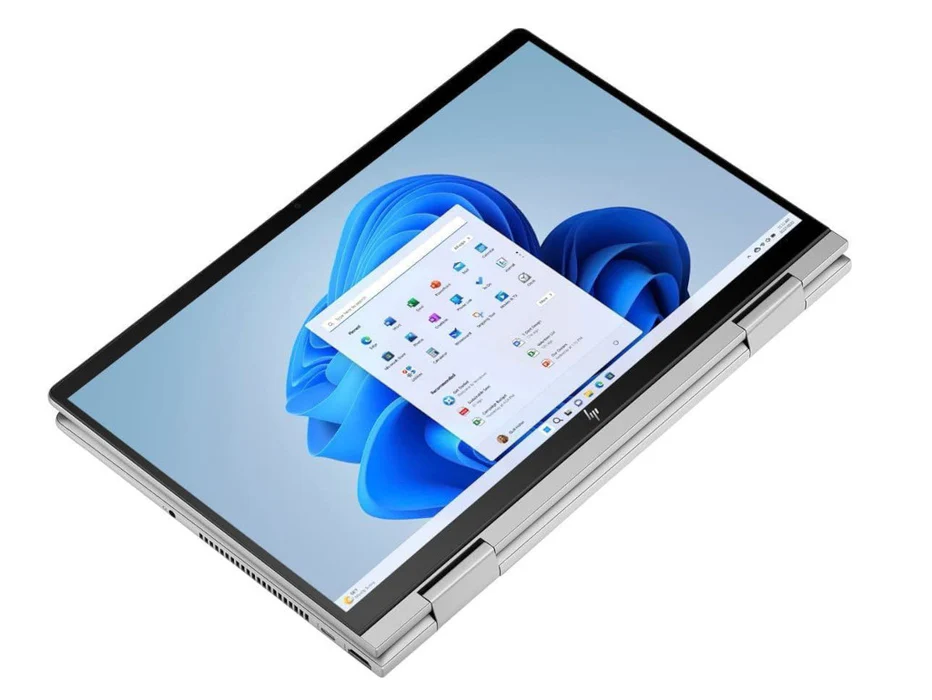
The moment you pick up the HP Envy x360 14, it becomes obvious that HP spent a lot of time refining the physical experience because the laptop avoids many of the compromises that typically plague convertible devices. Too often, Windows 2 in 1 machines either feel overly bulky in order to support the folding hinge mechanism or so thin and lightweight that they begin to feel flimsy and unstable during everyday use. The Envy x360 14 manages to strike a surprisingly elegant balance between portability and structural rigidity.
The aluminium chassis feels reassuringly solid in the hand without becoming excessively heavy, while the sandblasted anodised finish gives the machine a smooth texture that feels far more sophisticated than glossy plastic laptops that instantly collect fingerprints and smudges. There is a subtle confidence to the overall design because nothing feels exaggerated or overly flashy. Instead, the Envy x360 14 leans into a cleaner, more understated aesthetic that feels mature, modern, and practical for both professional and personal environments.
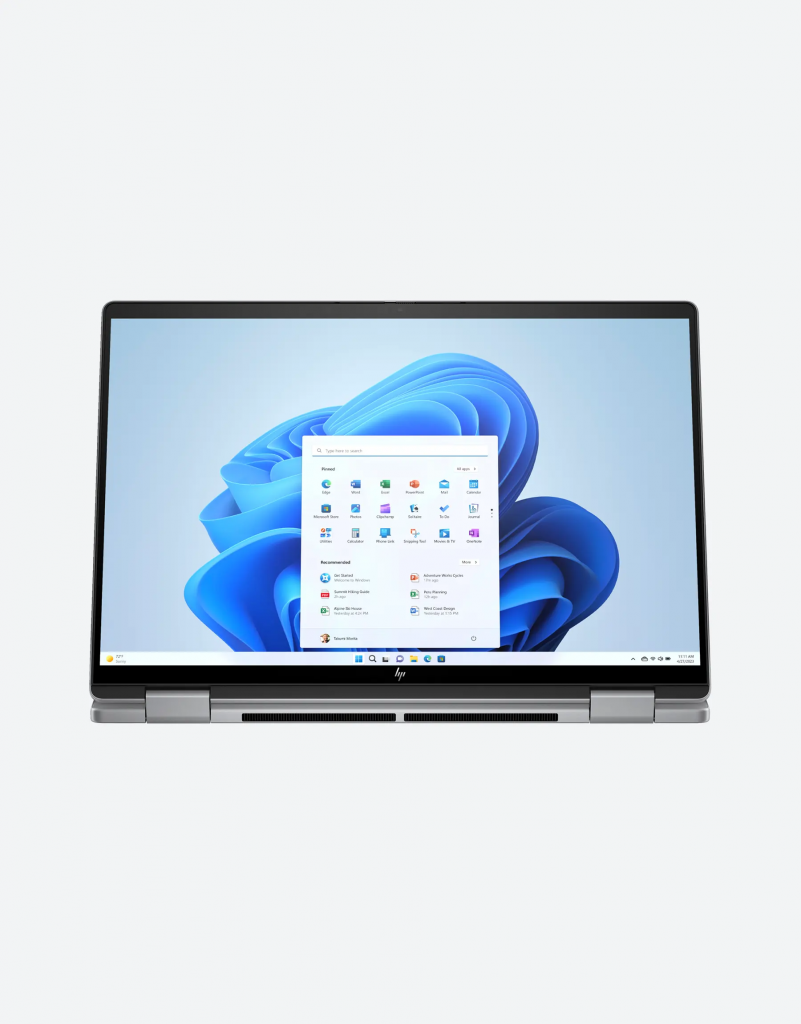
The hinge system deserves particular praise because it handles the constant movement between laptop and tablet modes exceptionally well. One of the biggest frustrations with many touchscreen laptops is the display wobble that happens every time you tap the screen, especially when the hinge lacks enough resistance to keep the panel stable. Here, the hinge feels firm and precise, allowing the display to remain steady whether the device is positioned in standard laptop mode, tent mode, easel mode, or folded completely flat.
That stability becomes especially important once you start using the touchscreen and pen regularly because the entire experience immediately feels more natural and responsive when the display does not shake with every interaction.
Portability is another area where the Envy x360 14 performs extremely well because, despite the convertible design and metal construction, the laptop remains impressively compact and easy to carry throughout the day. Weighing roughly 1.2kg, it slips comfortably into backpacks, tote bags, and work satchels without becoming cumbersome during commuting or travel. Even the included 65W USB C charger feels thoughtfully designed because it is remarkably compact compared to the oversized power bricks many Windows laptops still rely on.
After carrying the Envy x360 14 between cafés, meetings, trains, and workspaces for several days, it became clear that this is exactly the kind of machine designed for people who rarely stay in one place for long.
The 2.8K OLED touchscreen is one of the best displays on any Windows 2 in 1 laptop
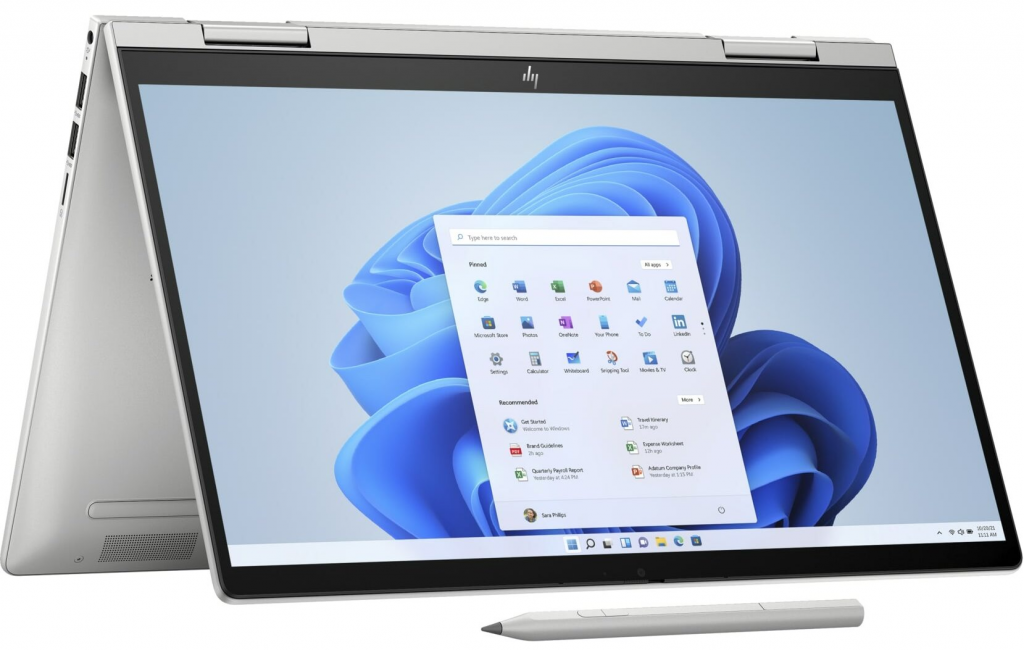
If there is one feature that instantly elevates the HP Envy x360 14 above countless competing Windows laptops, it is the display because this 14 inch 2.8K OLED touchscreen is genuinely stunning in daily use.
The difference between OLED and standard IPS panels remains dramatic even today, especially once you spend extended periods using both side by side. Colours appear richer, blacks become perfectly inky instead of dark grey, contrast feels infinitely deeper, and the overall image gains a level of dimensionality that makes ordinary content suddenly look cinematic.
Watching films, editing photos, browsing image heavy websites, and even simply scrolling through social media feels noticeably more immersive because the display adds an incredible amount of visual depth and richness to everything on screen.
The 2880 x 1800 resolution keeps text razor sharp during long reading or writing sessions, while the 16:10 aspect ratio provides extra vertical space that immediately improves productivity compared to older widescreen laptop displays. That slightly taller canvas makes multitasking feel less cramped, especially when working with documents, browser tabs, or split screen applications.
The 120Hz refresh rate also contributes massively to the overall premium feel of the device because animations, scrolling, cursor movement, and touchscreen interactions all appear smoother and more fluid than traditional 60Hz panels. Once you spend time using a high refresh rate laptop regularly, returning to slower displays suddenly makes everything feel oddly sluggish.
Brightness levels are strong enough for most indoor environments, and HDR content looks genuinely impressive thanks to the OLED panel’s infinite contrast ratio and vibrant colour reproduction. Streaming platforms like Netflix and YouTube immediately benefit from the richer dynamic range because highlights appear brighter while darker scenes maintain far more detail and atmosphere.
For casual creative work such as photo editing, social media content creation, or design projects, the colour performance is more than capable. Professional level creators working in highly colour sensitive environments may still want more advanced calibration tools and tighter colour accuracy, but for the vast majority of users this remains one of the best displays available at this price point.
What makes the screen especially enjoyable, though, is the way it enhances every single interaction throughout the day rather than just excelling during specific tasks. Even ordinary activities like answering emails, reading articles, or watching short videos become noticeably more enjoyable because the panel simply looks so good.
The keyboard and touchpad make everyday work feel effortless
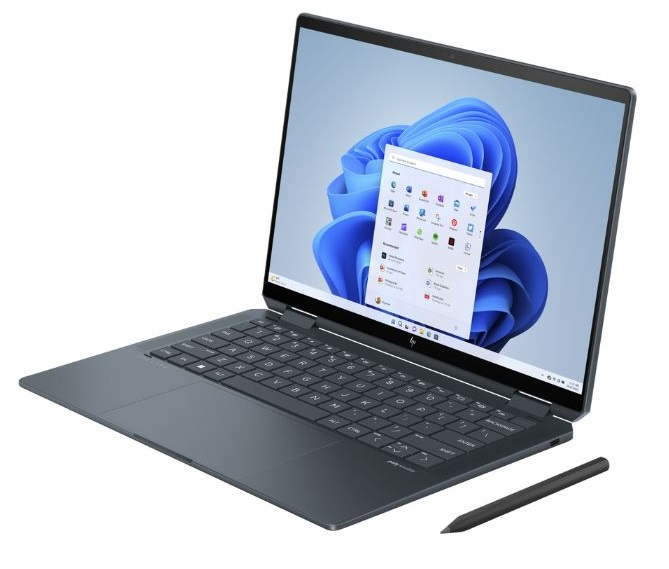
There are many laptops with beautiful displays and premium materials that still fail in the areas users interact with most frequently, which are the keyboard and touchpad. Thankfully, the HP Envy x360 14 avoids that mistake entirely because both input experiences feel refined, comfortable, and thoughtfully designed for long term daily use.
The keyboard immediately stands out because the typing experience feels crisp, tactile, and remarkably quiet without becoming mushy or shallow. The keys offer enough travel to feel satisfying during long writing sessions while still maintaining the snappy responsiveness expected from modern ultra portable laptops.
After several hours of continuous writing and editing, the keyboard never became fatiguing, which is something that cannot be said for many thin laptops prioritising aesthetics over usability.
The layout also feels intelligently arranged because HP resisted the temptation to shrink important keys unnecessarily in order to create a cleaner visual appearance. Full sized arrow keys remain intact, spacing feels natural, and the overall design allows touch typists to adapt quickly without awkward adjustment periods.
The white backlighting deserves praise too because it looks clean and sophisticated rather than overly harsh or aggressively bright. Small details like this contribute significantly to how premium the laptop feels over time.
The touchpad is equally strong because it remains responsive, smooth, and spacious considering the compact footprint of the device. Gesture navigation works reliably, palm rejection feels accurate, and the click mechanism maintains a satisfying level of feedback without becoming loud or hollow sounding.
Together, the keyboard and touchpad create a daily experience that feels polished in a way many Windows laptops still struggle to achieve consistently.
The convertible design becomes genuinely useful surprisingly quickly
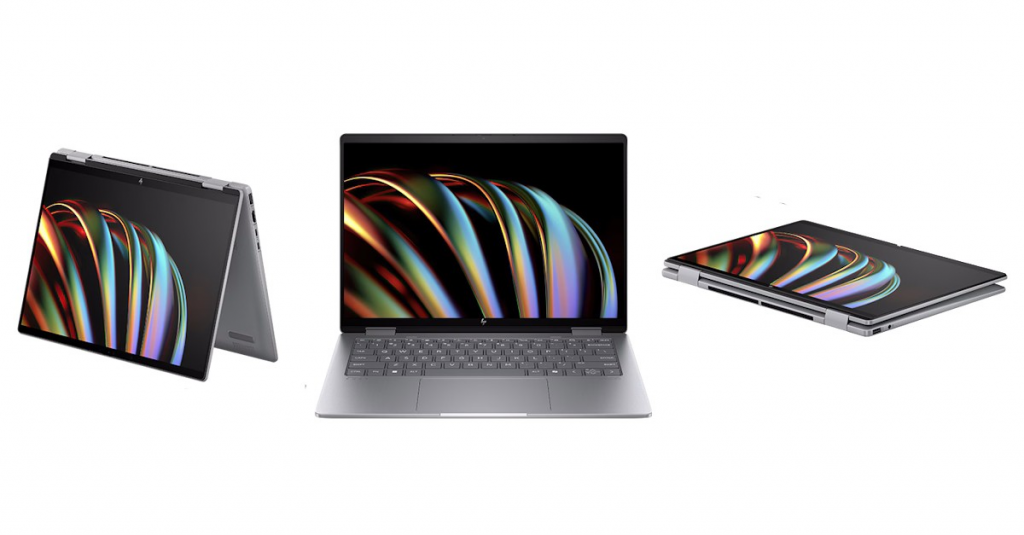
One of the most interesting things about living with the HP Envy x360 14 is how quickly the convertible functionality stops feeling like a novelty and starts becoming part of normal behaviour.
At first, it is easy to assume that the 360 degree hinge exists primarily as a marketing feature because many people rarely use touchscreen functionality extensively on Windows laptops. However, after several days of switching between different positions naturally throughout the day, it becomes clear why this design remains so popular.
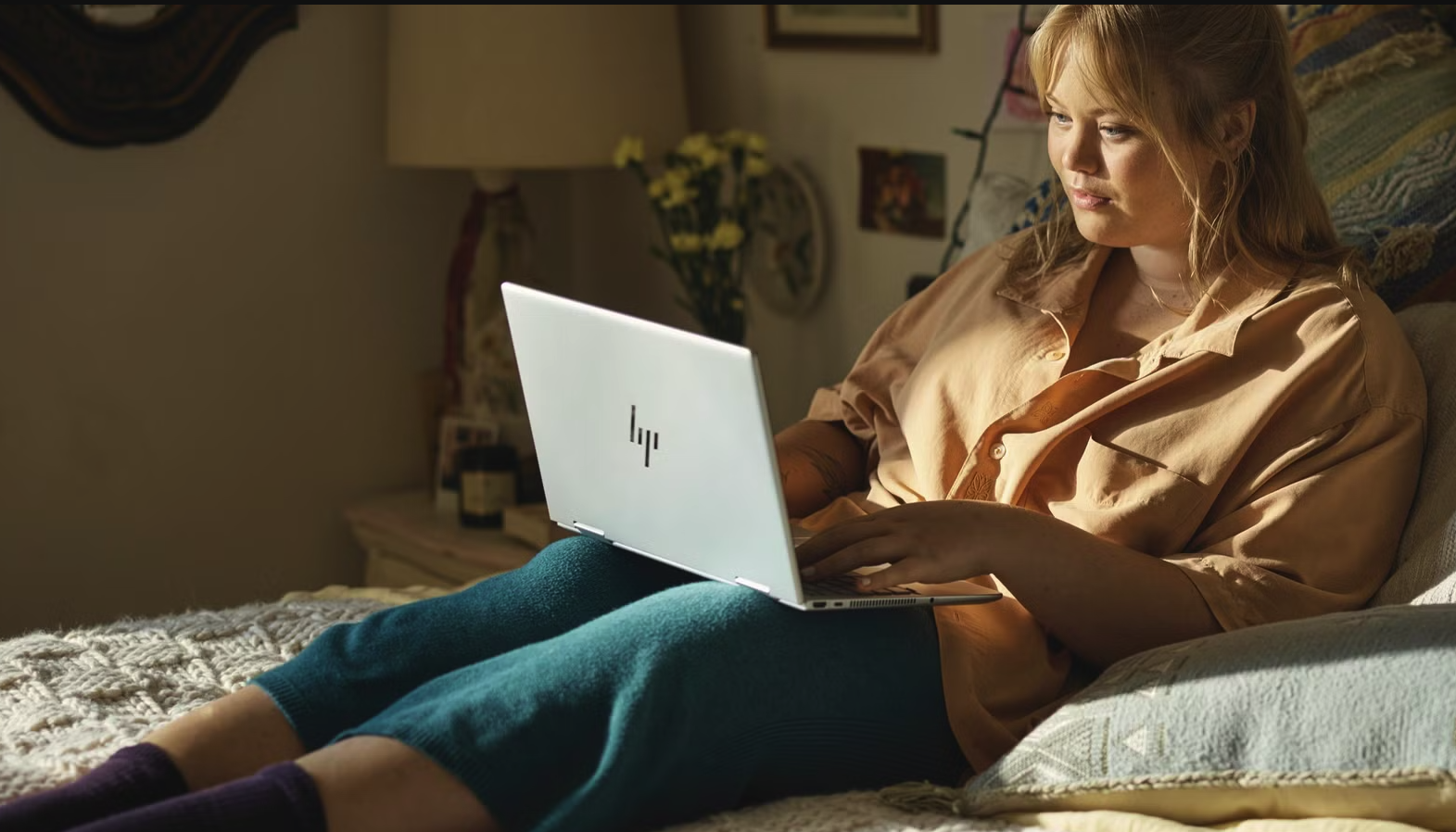
While working at a desk, the Envy x360 functions exactly like a traditional premium ultrabook, but during media consumption the experience changes dramatically because folding the keyboard backward instantly transforms the machine into a compact entertainment display that works beautifully in bed, on sofas, small tables, flights, or confined spaces where a traditional laptop setup feels awkward.
Tent mode becomes especially useful while travelling because it minimises the amount of physical space the laptop occupies while still allowing comfortable viewing angles for films, presentations, or video calls.
The included rechargeable pen also helps justify the convertible design because writing directly on the display feels responsive and fluid for note taking, sketching, brainstorming, document markups, and casual creative work. While professional digital artists will still prefer dedicated drawing tablets, students, hybrid workers, designers, and people who naturally think visually will likely appreciate how seamlessly the pen integrates into daily workflows.
What matters most is that the flexibility never feels forced.
Instead, the laptop quietly adapts to different environments and situations in ways that begin to feel surprisingly natural over time.
HP Envy x360 14 performance is smooth for productivity, multitasking, and everyday creative work
Performance is the one area where the HP Envy x360 14 becomes slightly more complicated because the machine prioritises efficiency, portability, and thermals rather than attempting to compete with higher powered productivity laptops.
For everyday computing tasks, the experience feels consistently smooth and responsive. Web browsing, streaming, productivity work, multitasking, office applications, video conferencing, light editing, and general content consumption all run comfortably without major slowdowns or frustrating lag.
However, users expecting workstation level power may find the limits appear faster than anticipated once heavier workloads enter the picture.
The Intel Core Ultra 7 155U processor used in this configuration is fundamentally designed around lower power consumption rather than maximum performance output. Compared to laptops using Intel’s more powerful H series chips, the performance gap becomes increasingly noticeable during demanding tasks such as advanced video editing, 3D rendering, heavy photo manipulation, coding projects with large compilations, or gaming.
The integrated Intel Iris Xe graphics also feel relatively modest compared to newer integrated graphics solutions appearing in more performance focused laptops.
That does not mean the Envy x360 14 feels slow.
In fact, for the vast majority of everyday users, the performance remains comfortably strong enough for normal workflows. The laptop handles multitasking well, applications launch quickly, and Windows 11 generally feels fluid during daily use.
The issue is more about expectations.
This is not a machine designed for people constantly pushing demanding professional software, and it never really pretends to be.
Interestingly, the lower powered hardware also creates several indirect benefits because the laptop remains impressively cool and quiet throughout most workloads. Even after prolonged use, the chassis rarely becomes more than mildly warm, while the cooling fan remains remarkably restrained compared to many thin Windows laptops that constantly ramp up noise levels during basic tasks.
That calmer, quieter behaviour significantly improves the overall ownership experience because the machine simply feels less stressful to use day to day.
HP Envy x360 14 battery life is strong enough for full workdays away from home
Battery life is another area where the HP Envy x360 14 quietly performs better than expected, particularly considering the power demands typically associated with OLED displays.
During normal daily use involving browsing, writing, streaming, messaging, video calls, and moderate multitasking, the laptop consistently delivered enough endurance to comfortably handle full working days away from home without creating constant charger anxiety.
The nearly ten hour battery result achieved during testing translates into genuinely practical portability because users can realistically move between lectures, meetings, cafés, airports, or co working spaces without immediately searching for power outlets.
While newer Snapdragon based Windows laptops and Apple Silicon MacBooks still lead the market in absolute battery efficiency, the Envy x360 14 performs far better than many Intel powered OLED laptops from previous generations.
Combined with the lightweight charger and compact chassis, the overall experience feels extremely travel friendly.
For students and professionals constantly working on the move, that balance between portability, battery life, and versatility becomes one of the laptop’s biggest strengths.
The speakers sound richer than most thin laptops
Laptop speakers remain one of the most overlooked parts of portable computing despite the fact that they shape enormous parts of the everyday experience.
Whether people are watching films, listening to music, attending meetings, streaming YouTube videos, or casually browsing social media, audio quality constantly influences how enjoyable the device feels.
The HP Envy x360 14 performs surprisingly well here.
While the speakers are not exceptionally loud, the tuning itself feels warm, balanced, and far richer than many thin Windows laptops that produce harsh or tinny audio. Vocals remain clear, music carries decent depth, and streaming content sounds full enough that external speakers rarely feel necessary for casual use.
Watching films in tent mode particularly highlights this strength because the OLED display and speakers combine to create a genuinely immersive portable entertainment setup.
The only real weakness is maximum volume because noisier environments can slightly overwhelm the speakers, especially in busy cafés or shared public spaces. However, in quieter indoor environments the overall listening experience feels significantly more refined than expected.
Why the HP Envy x360 14 is one of the best lightweight OLED laptops for everyday users
What ultimately makes the HP Envy x360 14 compelling is the fact that it understands how many people actually use their laptops today.
Most users are no longer sitting at the same desk for eight uninterrupted hours performing one single task.
Modern workflows involve constant movement between locations, multitasking between productivity and entertainment, switching between typing and touch interaction, balancing portability with battery life, and needing technology that feels flexible enough to adapt naturally throughout the day.
The OLED display is beautiful, the keyboard is excellent, the convertible design feels genuinely practical rather than gimmicky, battery life is strong enough for real world mobility, and the overall build quality feels far more premium than many competitors within the same category.
Yes, performance enthusiasts may wish for stronger hardware, especially given how quickly thin and light laptops continue evolving. However, unless your daily workload revolves around heavy rendering, advanced gaming, or demanding professional creative software, the Envy x360 14 remains more than capable for modern everyday computing.
What ultimately makes the HP Envy x360 14 so appealing is not one dramatic headline feature but rather the way every part of the experience works together cohesively in everyday life. The laptop feels portable without feeling fragile, versatile without becoming gimmicky, and premium without crossing into absurd pricing territory. The OLED display alone elevates everything you do on the machine, whether that is writing, streaming, sketching, editing photos, attending meetings, or simply browsing late at night with the screen folded back in tent mode.
For students moving between lectures, professionals constantly travelling, writers spending hours typing, casual creators editing content on the move, or anyone looking for a laptop that feels flexible enough to blend into modern everyday life rather than dominate it, the HP Envy x360 14 delivers a polished and surprisingly satisfying experience that becomes more impressive the longer you live with it.