



reMarkable Paper Pure review: The finest paper feel under £400, provided the lights are on
reMarkable’s new entry model is a notebook with no apps and nothing to ping you. For most people who just want to write, that’s the appeal.
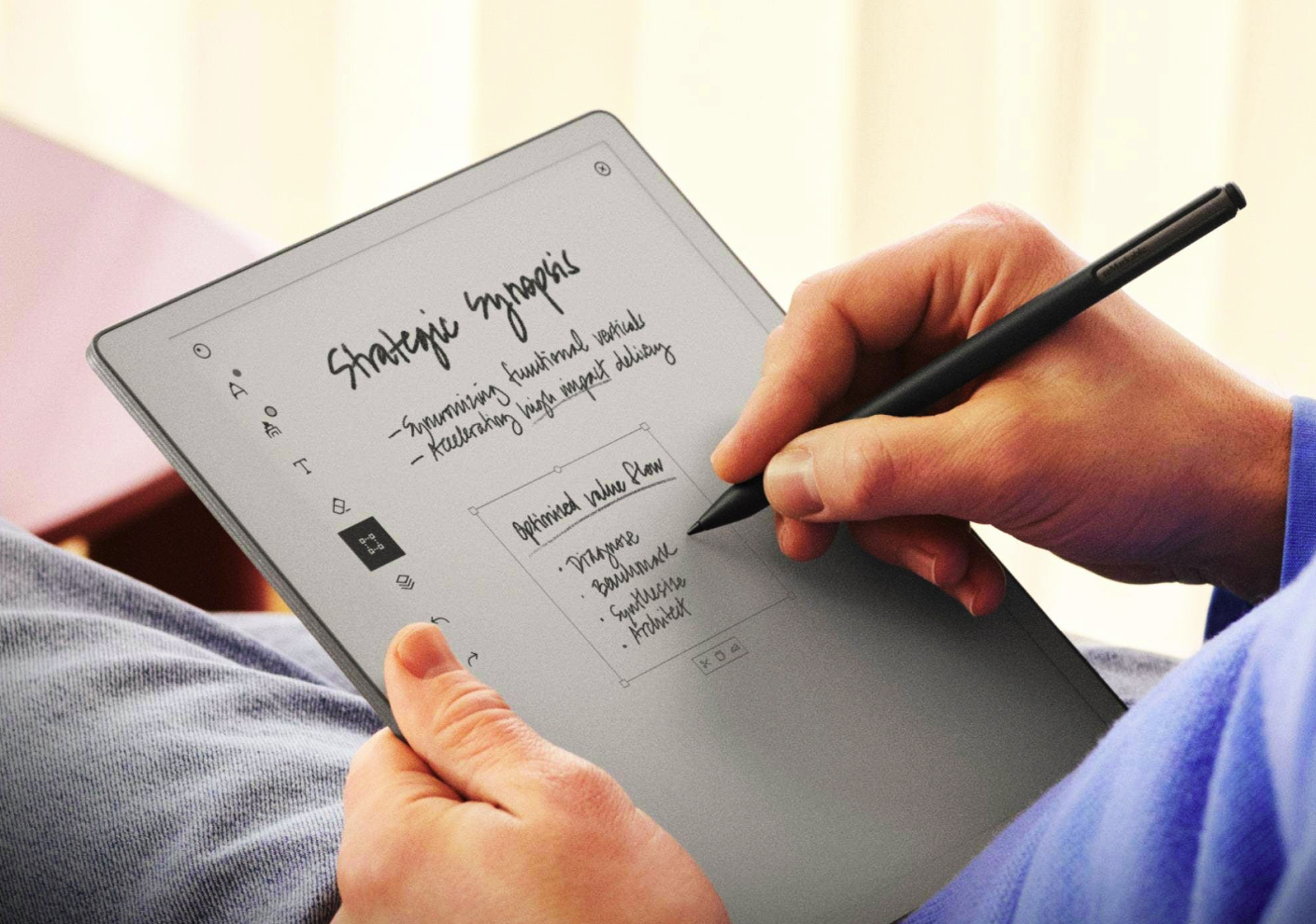
We’ve been carrying the Paper Pure around for the past few weeks, and somewhere along the way it became the first thing we reach for when an idea lands. The reMarkable Paper Pure is the cheapest reMarkable you can buy. If what you want is a digital notebook, it’s also the easiest e-ink tablet to recommend this year. The writing feel is the best we’ve had from a device at this price. The battery lasts weeks rather than days. At 360g it’s light enough that you’ll occasionally forget it’s in your bag. There are trade-offs: there’s no front light, no keyboard support, and the Connect subscription gets in the way more than we’d like. If you mostly write in decent light and want a notebook that never interrupts you, buy it.
Pros
- 21ms latency and a matte Canvas screen make handwriting feel uncannily close to pencil on paper
- The 3,820mAh battery is rated for up to three weeks at an hour of note-taking a day
- 32GB of storage, four times what the reMarkable 2 had
- Built with screws and snaps rather than glue, so it’s easier to repair than most tablets
Cons
- No front light, so it’s no use in a dim room or in bed
- Handwriting search and full cloud sync need the Connect subscription
- No pogo pins, which means the Type Folio keyboard won’t work with it
Quick specs
| Price | £359 / $399 / €399 (with Marker) · £399 bundle with Marker Plus and Sleeve Folio |
| Display | 10.3in third-gen Canvas monochrome e-ink (Carta 1300), 1872 x 1404, 226ppi, no front light |
| Processor | 1.7GHz dual-core ARM Cortex-A55 |
| RAM / Storage | 2GB / 32GB |
| Battery | 3,820mAh, up to three weeks (based on one hour of note-taking a day) |
| Weight / Thickness | 360g / 6mm |
| Connectivity | Wi-Fi, USB-C |
| OS | reMarkable OS (Linux-based) |
Price and availability
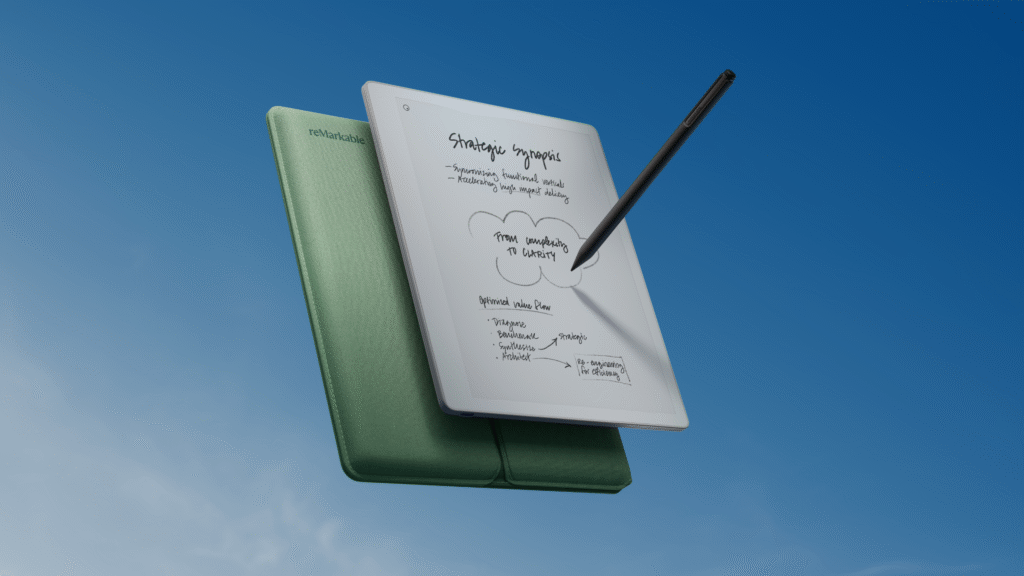
reMarkable Paper Pure costs £359 in the UK, $399 in the US and €399 in Europe. That gets you the tablet, the standard Marker stylus, six replacement nibs and a USB-C cable. It permanently replaces the reMarkable 2, which reMarkable has discontinued, and it launches at exactly the US price the reMarkable 2 had more than five years ago. Given how much tech prices have climbed since then, that’s a small win.
The bundle is the one we’d buy. For £399 you get the Marker Plus, which has a built-in eraser on the end, plus the Sleeve Folio in Mist Green, Desert Pink or Ocean Blue. The folio alone costs £59, so the extra £40 basically pays for the case and gives you the better pen for free. You can buy it direct from reMarkable or from John Lewis.
You’ll also need to think about Connect, reMarkable’s subscription, which costs £3.99 a month or £39.90 a year. Every new device gets a 50-day trial. More on whether it’s worth paying for below.
Design and build
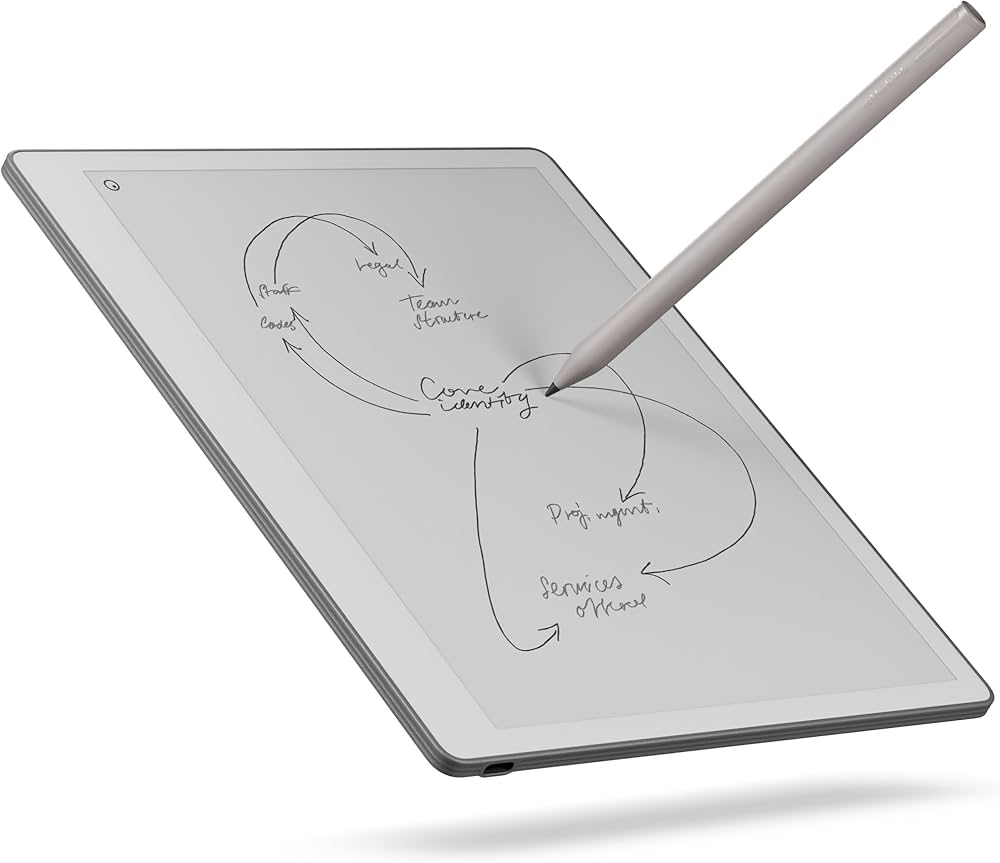
The most obvious cost-cutting is on the back. The reMarkable 2’s brushed aluminium has been replaced with recycled plastic. Before we used it, we expected to mind. In practice the Paper Pure feels solid and well made, with no flex and no creaks. Inside there’s a magnesium honeycomb frame. According to reMarkable, 38% of the device is made from recycled materials, more than any reMarkable before it. It’s also held together with screws and snaps instead of adhesive, which is something you rarely see in tablets.
At 6mm thick it’s chunkier than the reMarkable 2 (4.7mm) and the Paper Pro (5.1mm). It’s also about 50g lighter than the reMarkable 2. We’d make that trade every time. At 360g it weighs about the same as a decent hardback notebook, and a full day of carrying it around never felt like a chore. It went from the desk to the kitchen table to the bottom of a tote bag on the school run, and we never once thought twice about bringing it.
The Marker clips magnetically to the right edge, where it also charges, and an on-screen indicator shows the pen’s battery level. Our pick is the Marker Plus. It has a subtly textured grip, it’s better balanced, and you erase by flipping it over like a pencil. That sounds like a small thing, but once you’re used to it, going back feels clumsy. One warning for upgraders: pens made for the reMarkable 2 won’t work here. The Paper Pure uses the same Marker and Marker Plus as the Paper Pro and Paper Pro Move.
There’s one USB-C port and a power button on the top-left edge, and that’s it. The pogo pins are gone, so no keyboard folio. If you like typing up long drafts on your reMarkable, that alone could rule it out. The Sleeve Folio is more of a padded sleeve than a book-style cover. It’s made from a soft polymer weave, it wakes the tablet when you slide it out and puts it to sleep when you slide it back in, and it looks smart. You do have to take the tablet out completely to use it, though, which feels a bit awkward in a meeting.
Display
The 10.3in screen uses reMarkable’s third-generation Canvas display, built on an E Ink Carta 1300 panel. The resolution is 1872 x 1404, which works out to 226ppi, the same as before. reMarkable says contrast is 20% higher than on the reMarkable 2, and you can see the difference: the background looks whiter and pen strokes look darker and crisper. Handwriting and sketches look great. Dense academic PDFs sometimes need a pinch-zoom to read the footnotes.
The matte glass is what makes reMarkable worth paying for. It has just enough texture to give the nib some grip, so strokes feel deliberate rather than slippery. In bright sunlight it’s brilliant, readable from any angle with no glare at all, which makes it a great garden or train companion. Our favourite spot to use it ended up being a sunny window seat with a coffee, which is not something we’ve ever said about an iPad.
The flip side is that it’s hopeless in poor light, and this is the one thing that genuinely annoyed us. Our best ideas tend to turn up once the house finally goes quiet in the evening, and with no front light, the sofa with the lamps low meant squinting or hunting for a clip-on book light. More than once we gave up and grabbed our phone instead, which rather defeats the point. We also saw the usual e-ink flashing when turning pages, zooming and opening menus. It never got in the way, but if you’re coming from an iPad you’ll notice it.
Performance and real-world use
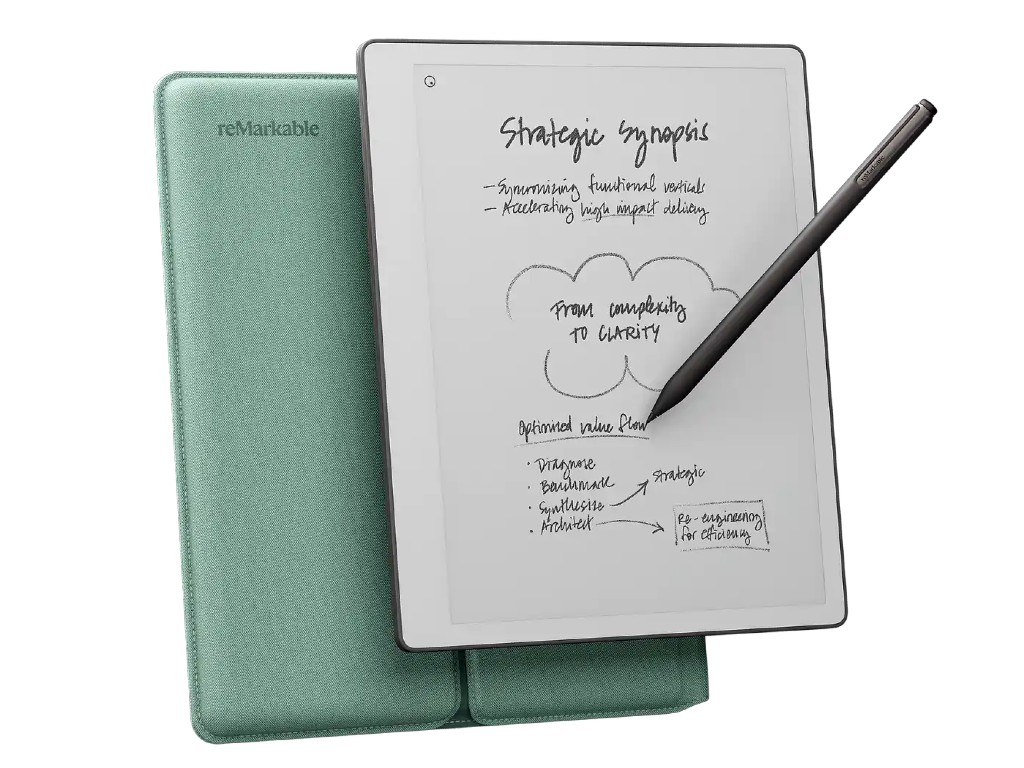
Inside is a 1.7GHz dual-core ARM Cortex-A55 with 2GB of RAM. reMarkable says that makes it 50% faster than the reMarkable 2, and in everyday use it feels quick. Notebooks open fast, flicking through a 200-page PDF doesn’t stutter, and the thumbnail grid of files loads straight away. What matters more is latency, and reMarkable quotes 21ms from nib to ink. Ink appears so quickly that your brain stops registering any gap. Of all the digital notebooks we’ve written on, this is the one that comes closest to real pencil. The first few days, we caught ourselves pressing harder than we needed to, purely out of pen-and-paper habit.
The tools are deliberately limited, and nicely done. You get fineliners, ballpoints, pencils and brushes in several thicknesses, plus a highlighter, layers, and shape correction that turns a wobbly box into a clean rectangle. There’s a modest set of free templates, including to-do lists and calendars, and you can import your own as PDFs, so a planner you designed in Canva works fine.
The battery is the other headline feature. The 3,820mAh cell is about 30% bigger than the reMarkable 2’s and is rated for up to three weeks at an hour of note-taking a day. Used for planning our week every Monday morning, meeting notes, a bit of reading and late-night brainstorms, we were charging roughly every fortnight, which is close enough to the claim to be impressive. At one point we honestly forgot where we’d put the charger. When you do plug it in, it goes from empty to 90% in about 1 hour 20 minutes.
There’s no speaker and no headphone jack. On a device built around avoiding distraction, we don’t see that as a loss.
Who should buy it
Students and researchers will get the most out of it. You can take handwritten lecture notes, annotate journal PDFs in the margins and read EPUB textbooks without a single notification from Instagram or WhatsApp breaking your concentration. Having 32GB means you can carry a whole degree’s worth of reading.
Professionals and thinkers will like how it handles meeting notes and brainstorming. If you connect your Google or Outlook calendar, it can create a notes page for each meeting, and reviewing a long contract or report on a 360g slate is much more pleasant than scrolling it on a laptop.
Writers and sketchers who think better with a pen than a keyboard will enjoy drafting on the textured screen. It’s monochrome, so it’s for roughing out ideas and storyboarding, not finished colour illustration.
Budget-conscious e-ink buyers are the obvious target. This is the core reMarkable writing experience for £240 less than the colour, front-lit Paper Pro.
Software and AI features
reMarkable OS stays minimal on purpose. There’s no browser, no email, no app store and no bookshop. You can import PDFs, DRM-free EPUBs, Word documents and PowerPoint files. Google Drive, OneDrive and Dropbox integrations are free, although you have to re-import a file to edit it. Browser extensions let you send web articles to the tablet to read later. Screen sharing for presentations is free too, as is exporting notes by email as PDF, PNG or SVG.
The AI features are more useful than we expected. Convert-and-share turns your handwriting into typed text, summarises it, and builds a shareable page with the original note, the converted text and suggested action points. You can then send it to Slack or Miro. It also summarises your annotations on PDFs and slide decks, which is handy after a long review session. Handwriting recognition was mostly accurate in our testing but stumbled on our scrappier notes. It also needs an internet connection.
Then there’s the subscription. Connect (£3.99 a month or £39.90 a year) adds handwriting search, editing your notes from your phone or laptop, unlimited cloud storage, Slack and Google Docs integrations, the premium Methods template library and an extended warranty. Without it, notebooks you haven’t opened for 50 days stop syncing to the cloud. They’re still on the tablet, but they’re no longer backed up. Paying a monthly fee for a device that costs nearly £400 feels mean, and we think handwriting search in particular should be free. To be fair, if you only work on the tablet itself, you can live without Connect.
The companion web app was the weakest part of our experience. It’s still labelled beta, and it threw up the occasional error and slow sync.
Final verdict
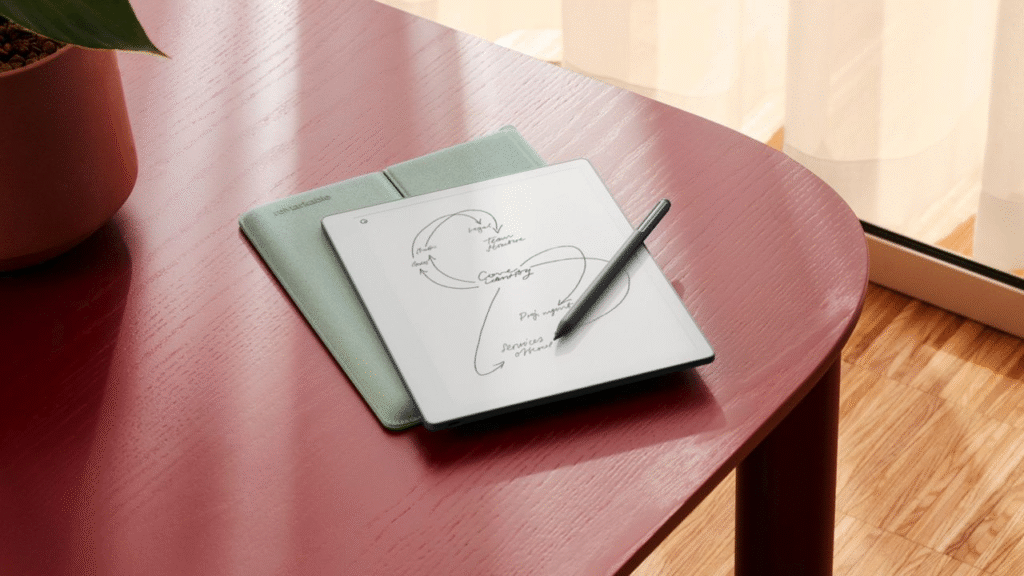
The reMarkable Paper Pure doesn’t reinvent anything. It’s a reMarkable 2 with a faster chip, a better screen, a much bigger battery and four times the storage, launched at the same US price as its predecessor, with the less essential extras removed. For a device that only does one job, that’s the right call.
It’s the most convincing digital paper we’ve used under £400. Writing on it is a pleasure, the battery barely needs thinking about, and it’s so light that we used it far more than our pricier tablets. A few weeks in, it had brought back a habit we’d lost: jotting things down by hand instead of typing them into a notes app. Our to-do lists are messier now, with arrows and little doodles in the margins, and we think we like them better that way.
It isn’t for everyone. If you read in bed, the missing front light rules it out. Get a Kindle Scribe or save up for the Paper Pro. If you want a keyboard for long-form typing, look elsewhere too. And if you hate subscriptions, know before you buy that some of the cleverer features, especially handwriting search, cost extra.
Buy it if you write and annotate in good light and want the best paper feel for the money. Spend the extra £40 on the bundle. Skip it if you mainly read in the evening, need colour, or want to type.
Also consider
- reMarkable Paper Pro (£599): Pick it if you need a front light, colour for highlighting and diagrams, or the Type Folio keyboard. It has a larger 11.8in screen and an aluminium body, but it costs £240 more.
- Amazon Kindle Scribe (2026) (£449.99): The better buy if reading matters as much as writing. It has an 11in front-lit screen and Amazon’s ebook store built in. The version without a front light, at £389.99, is the Paper Pure’s closest rival on price. The writing feel isn’t quite as good.
- Boox Go 10.3 Gen II (approx. £363): For anyone who wants an Android e-ink tablet that can run third-party reading and note apps. You get more freedom, more distraction and less polished handwriting.