




UGREEN NASync DXP4800 Pro review: The four-bay NAS that should have Synology genuinely concerned
This is the most powerful compact NAS I’ve tested at this price, and it might just be the one that finally convinces home lab users to make the switch
If you’ve been vaguely aware that a NAS is probably a good idea, here’s the quick version: it’s a small box that sits on your network, stores all your files, streams your media, and runs backup jobs while you sleep. Think of it as a personal cloud server you actually own and control, rather than paying a subscription to someone else’s cloud forever. The UGREEN DXP4800 Pro is one of those boxes, and it’s a particularly good one.
UGREEN arrived in this market in 2024 with a lot of noise and a very successful Kickstarter campaign, raising $6.6 million from over 13,000 backers. That’s a lot of people willing to take a chance on an unproven brand in a space that Synology had comfortably dominated for years. Two years on, with those backers’ units in the wild and a growing community around the product, UGREEN has now refreshed the four-bay model with meaningfully better internals. The result is the DXP4800 Pro, and I’ve been running it for the past week.
Pros
- Genuinely powerful processor handles Plex, Docker and VMs without complaint
- 10GbE networking included as standard, not as a paid upgrade
- UGOS is the most enjoyable NAS operating system I’ve used outside of Synology
- Quiet enough to live in a room you actually spend time in
Cons
- No surveillance camera package yet, despite eight months on the roadmap
- Can’t wake the device remotely without a UPS connected
- The rubber feet are far too short for a device that runs warm on the bottom
Quick specs
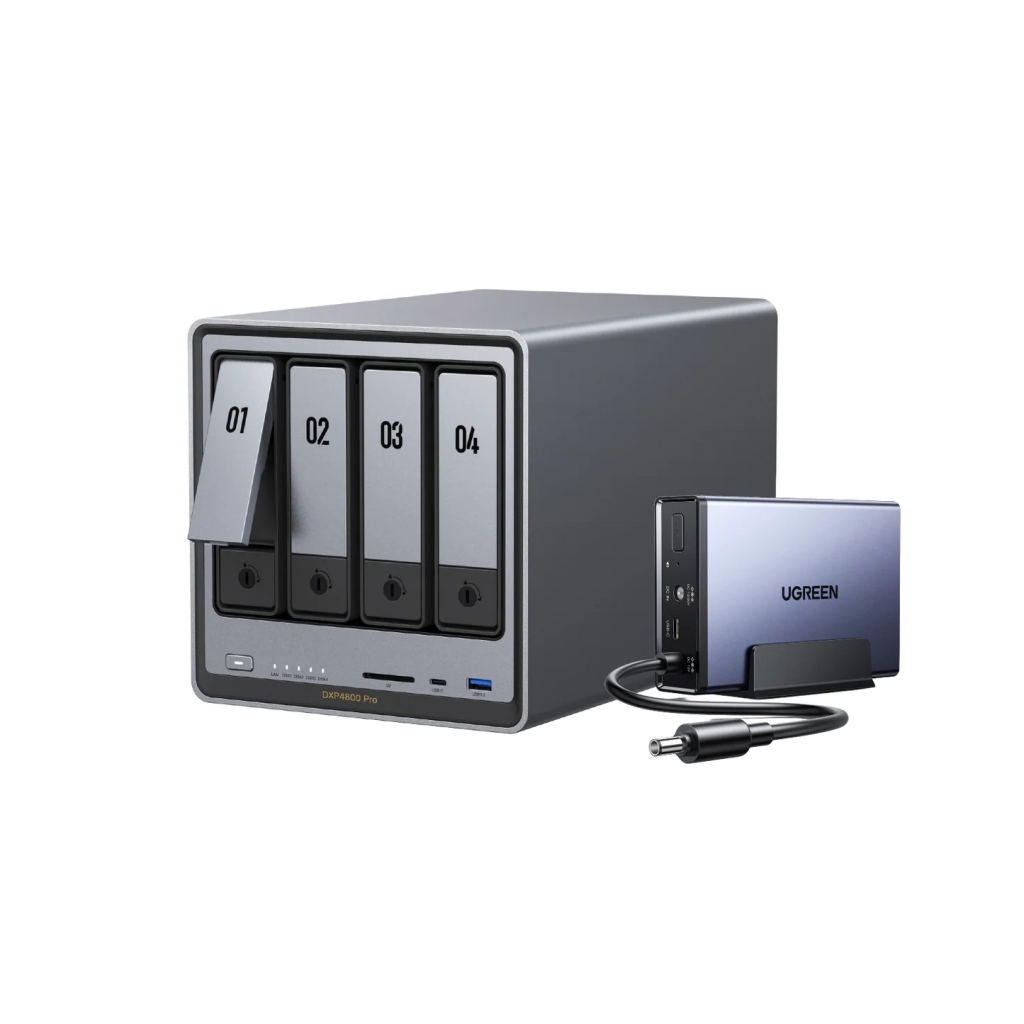
| Price | $719.99 / £619.99 / €719.99 |
| CPU | Intel Core i3-1315U (6 cores, up to 4.5GHz) |
| RAM | 8GB DDR5-5600 (upgradeable to 96GB) |
| Drive bays | 4 x SATA (hard drives or 2.5″ SSDs) |
| Fast SSD slots | 2 x M.2 NVMe (PCIe 4.0 x4) |
| Networking | 2.5GbE + 10GbE, both included |
| Front ports | USB-C, USB-A, SD card slot |
| Video output | HDMI 2.1 (up to 4K at 60fps) |
| Operating system | UGOS Pro |
| Power draw | ~42W with drives active |
Price and availability
The DXP4800 Pro has an MSRP of $799.99, but it’s currently sitting at 10% off, making it $719.99 in the US, £619.99 in the UK, and €719.99 across Europe. You can buy it directly from UGREEN or through Amazon in all three regions. If the price feels like a stretch, the older DXP4800 Plus is still available for roughly $70 less, though it runs a slower processor and older memory. For most people who are seriously considering this category, the Pro is worth the difference.
A box that takes itself seriously
The DXP4800 Pro is matte dark grey, though in person it reads closer to all-black. That’s not a complaint: it looks good, it doesn’t attract fingerprints, and the model name is embossed in raised gold lettering on the front rather than stuck on as a label, which is a surprisingly nice touch. This is a device designed to sit on a desk or shelf and not embarrass you.
The front panel has the four numbered drive bays across the top, and underneath: a power button, a row of status LEDs that tell you at a glance whether your drives are working or in trouble, an SD card slot, and two fast USB ports. Having those ports on the front is more useful than it sounds: plugging in a USB drive to transfer files or do a quick backup doesn’t require reaching around the back. The rear has two more USB ports, both the slower USB 2.0 type, which is actually the right call since those are perfect for plugging in a UPS or another peripheral that doesn’t need speed.
Also on the rear: the two network ports (one 2.5GbE and one 10GbE), an HDMI output, and the power connector. No Kensington lock slot, which is a mild annoyance for a device people will fill with irreplaceable data.
Underneath, a removable panel gives you access to the RAM slot and two M.2 SSD slots. The DXP4800 Pro ships with 8GB of DDR5-5600 memory already installed, and you can upgrade it to a maximum of 96GB if you’re running particularly demanding workloads. Both M.2 slots support PCIe 4.0 x4, which is the fastest available standard and a meaningful improvement over the previous DXP4800 models where one slot ran at reduced speed.
One gripe: the rubber feet on the bottom are tiny. The underside panel runs warm even at idle, and those feet barely lift the device off the desk. Something taller would help airflow considerably.
The processor is the real story
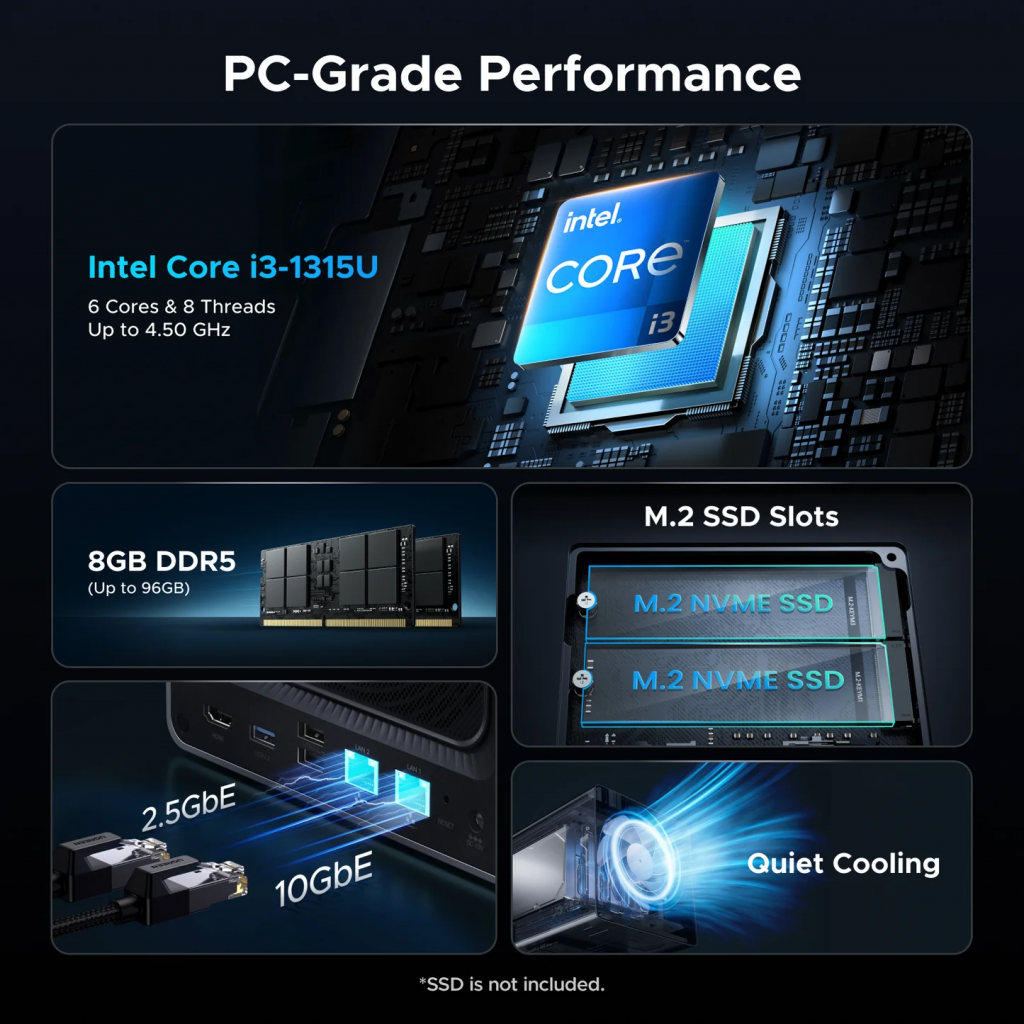
Previous UGREEN NAS units used budget Intel processors: the N100 in the base model, a Pentium Gold 8505 in the Plus. Both are fine for basic file serving, but they struggle when you start asking for more, whether that’s transcoding a 4K video stream, running a virtual machine, or spinning up multiple Docker containers at once. The DXP4800 Pro uses an Intel Core i3-1315U instead, and it’s a completely different class of hardware.
This is the same family of chip you’d find in a thin-and-light laptop. It has two faster performance cores and four efficiency cores, reaches up to 4.5GHz when it needs to, and has a built-in graphics engine with 64 execution units. That graphics component matters more than it might seem: it handles video decoding in hardware, which means the NAS can transcode H.264, H.265, and AV1 video at 4K60 without straining the CPU at all. Running Plex to your TV, streaming to multiple devices, handling live transcoding for formats your TV doesn’t support natively: all of it works smoothly here.
I ran it through a week of real-world use, which included Plex streaming to a home theatre setup, Docker containers running in the background, and some reasonably heavy file transfers over the 10GbE connection. It handled all of that without complaint and stayed quiet throughout. The 10GbE connection is worth calling out specifically: most competing NAS units at this price either top out at 2.5GbE or charge extra for a 10GbE network card. UGREEN includes it as standard. If you have a 10GbE switch or your router supports it, you’ll feel the difference immediately when copying large files.
Power consumption is sensible. The device draws around 42W when the drives are actively working and drops to under 20W when they spin down. Fully powered off, it sits at about 2.2W. Not the most frugal device in absolute terms, but reasonable for what it’s doing.
UGOS is better than it has any right to be
The operating system on any NAS matters enormously. Synology’s DSM is genuinely excellent and has years of polish behind it. UGOS, UGREEN’s own OS, is only about two years old. And yet: I set this up, created storage pools, installed Docker, and got Plex running without opening a single forum thread or firing up a search engine. For a NAS, that’s remarkable.
The setup process is guided and sensible. Crucially, it doesn’t automatically dump all your drives into a single storage pool during initial setup: you get to decide what goes where, and when. There’s a setup assistant in the corner of the dashboard that walks you through the first few steps after initialisation and then disappears once you’re done. These are small things, but they add up to a system that feels like it was designed by people who actually use NAS devices, not just spec them out.
The dedicated Windows app is a genuinely built desktop application, not a web page in a wrapper, and it connects to the NAS through a remote desktop window. The mobile app covers the full feature set too, though Wake-on-LAN (the ability to turn the NAS on remotely) only works when a UPS is attached. That’s a hardware limitation rather than a software oversight, but it’s worth knowing before you assume you can switch the device off from your phone and turn it back on later from across town.
Remote access works through UGREEN’s UGREENlink system, which operates similarly to Synology’s QuickConnect: you get a hostname for local network access and a unique ID for connecting from anywhere over the web, with a proper HTTPS certificate provided automatically. It works cleanly.
UGOS has been updated consistently since launch. Recent additions include Docker image update notifications with one-click updates per container, snapshot file browsing, and a casting feature that lets you beam content from the UGREEN mobile app directly to whatever screen the NAS is connected to via HDMI. That last one is marked as beta but worked perfectly in testing. It’s a genuinely useful feature for anyone who wants to use this as an HTPC.
Looking ahead, the roadmap includes an AI console for running local language models, a voice memos app, and finally, a surveillance camera package. The surveillance piece has been on the roadmap since at least August 2025 and still hasn’t shipped. If you’re coming from Synology specifically because of Surveillance Station, that’s a meaningful gap and worth factoring in.
Verdict
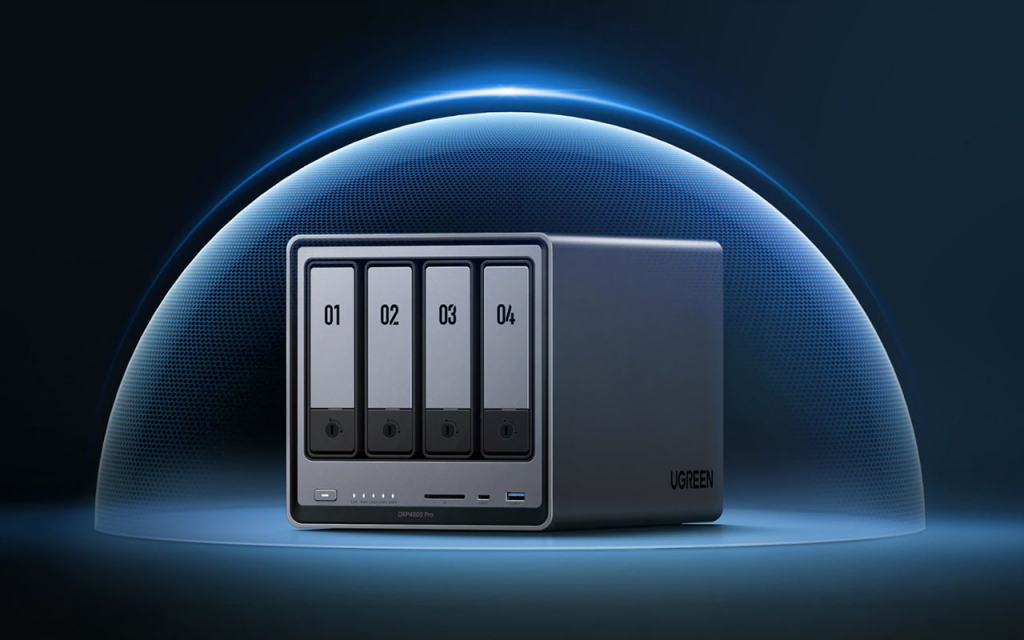
The DXP4800 Pro is the easiest recommendation in the four-bay NAS category right now. It has the most capable processor in its class, includes 10GbE networking as standard, ships with a reasonable 8GB of fast DDR5 memory, and runs an operating system that’s genuinely pleasant to use. At $719.99 with the current discount, it undercuts or matches most competitors while offering meaningfully better hardware.
The comparison with Synology is worth being direct about. The DS925+, Synology’s equivalent four-bay model at $799, uses a processor with no integrated graphics and ships with just 4GB of RAM. It doesn’t include 10GbE at all. For anyone who wants to stream media, run Docker containers, or manage a home lab, the UGREEN is simply the better-equipped machine at the same money. Synology still wins on ecosystem maturity, third-party app support, and Surveillance Station, but those advantages are narrowing.
If you’re new to NAS devices and the price feels high, that’s fair. There are cheaper options. But once you’re thinking about Plex, Docker, virtual machines, or anything beyond basic file storage, this is the right device to buy. It’s quiet, it’s fast, it runs cool enough, and it’s only going to get more capable as UGOS continues to develop.
Buy it.
Also consider
Synology DS925+ ($799): Still the right call if you’re already embedded in the Synology ecosystem, particularly if Surveillance Station is a must-have. The hardware is less impressive for the money, but DSM’s app library and community support are unmatched. Bear in mind you’ll want to budget for a RAM upgrade almost immediately, and 10GbE requires a separate expansion card.
UGREEN DXP6800 Pro (from ~$999): The six-bay version of this device. It adds Thunderbolt 4, a PCIe expansion slot for adding future hardware, and higher-tier processor options. If you need more bays, or you’re thinking about expanding with a GPU or faster network card down the line, this is where to look.
TerraMaster F4-424 Max (~$699): A genuine alternative on specs, also running an Intel i3-class processor and 10GbE. It’s occasionally found cheaper than the UGREEN, and the two devices can even share content with each other over your network. UGOS is a better day-to-day experience, but if you find the TerraMaster at a significant discount, it’s worth considering.