




TP-Link Deco BE68, BE14000 review: a mesh network so reliable you forget your Wi-Fi exists
In 2026, home internet is no longer just about browsing websites or streaming movies on the couch. It has become the backbone of how we work, create, collaborate, and even compete online. For gamers chasing millisecond advantages in competitive matches, developers synchronizing repositories or deploying builds across cloud environments, and remote workers relying on stable video calls and large file transfers, the reliability of a home network can genuinely affect productivity, performance, and daily sanity.
That is precisely the environment the TP-Link Deco, BE68 BE14000 is designed for. Positioned as a powerful yet accessible Wi-Fi 7 mesh system, the BE14000 promises ultra-fast speeds, stronger coverage, and the ability to support dozens of simultaneously connected devices without the instability that older routers often struggle with.
At first glance, the Deco BE14000 looks like another entry in TP-Link’s popular mesh lineup, but under the hood it represents a significant step forward thanks to tri-band Wi-Fi 7 connectivity, multi-gig Ethernet support, and advanced network management options that appeal to power users without overwhelming casual households.
The question is whether this system truly delivers the kind of reliable, high-performance connectivity that gamers, remote workers, and developers need when their work or hobbies depend on uninterrupted internet access.
After extended real-world testing in a busy connected home environment filled with laptops, gaming consoles, smart devices, and development workstations, the answer is surprisingly convincing.
A minimalist design that blends into modern homes
Networking hardware often falls into two extremes. Either it looks like an aggressive spaceship filled with antennas and RGB lighting designed to appeal to gaming enthusiasts, or it hides behind anonymous black plastic boxes that seem designed to disappear behind furniture.
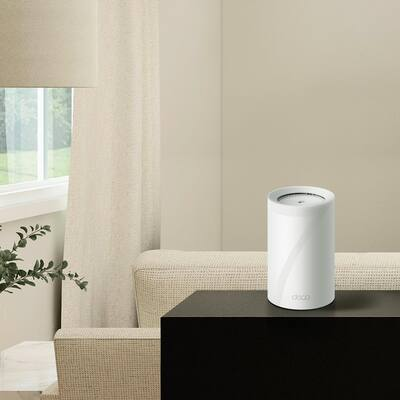
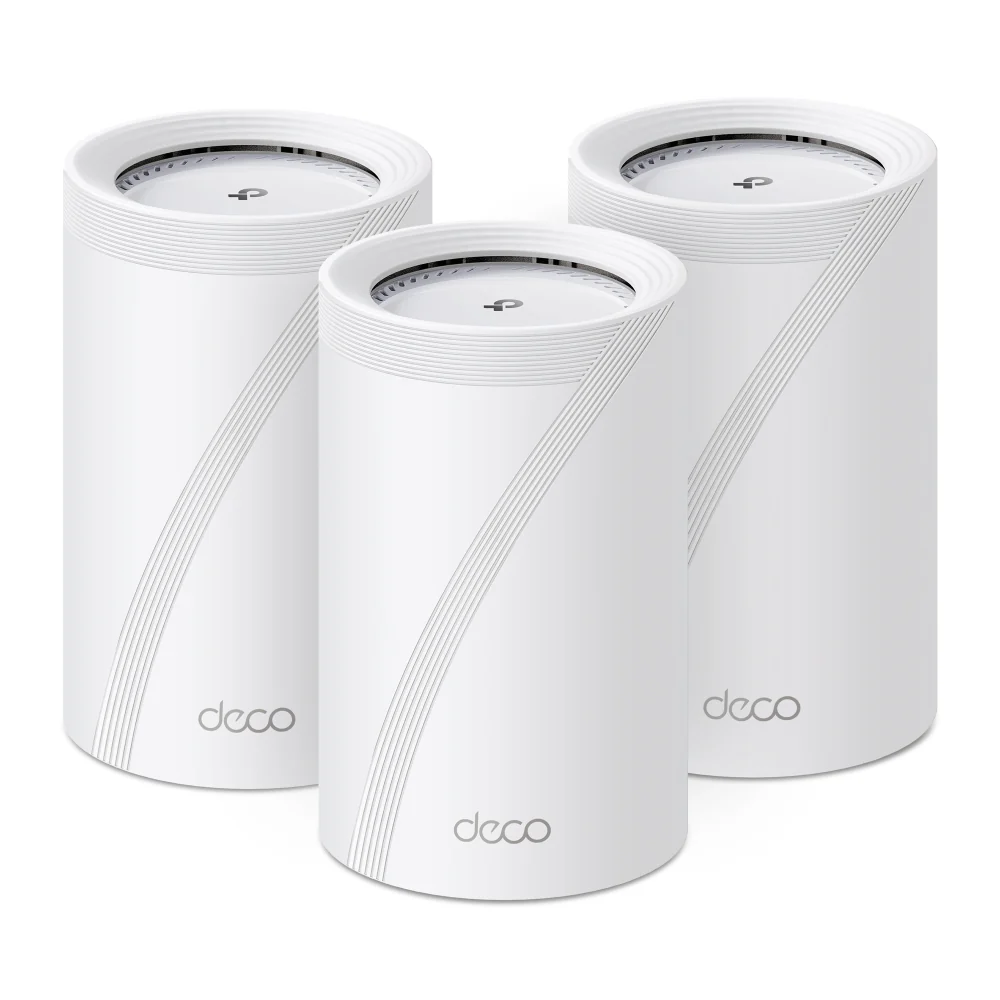
The TP-Link Deco BE14000 takes a more thoughtful approach by embracing a minimalist cylindrical design that feels surprisingly elegant compared with typical routers. Each node is a smooth white tower with subtle diagonal lines carved into the surface, giving it a slightly textured appearance that adds character without drawing too much attention.
Placed on a desk, shelf, or media console, the router feels closer to a modern smart speaker than traditional networking hardware, which makes it easy to integrate into living spaces without disrupting the aesthetic of a room.
This understated appearance serves a practical purpose as well. Cylindrical mesh nodes allow Wi-Fi signals to radiate more evenly in all directions, improving coverage throughout a home while reducing the signal dead zones that older routers often create.
For households deploying the standard three-node configuration, the Deco BE14000 can comfortably blanket medium-to-large homes with strong wireless coverage, ensuring that bedrooms, home offices, kitchens, and living rooms all receive stable connectivity.
It is a reminder that networking hardware does not need to dominate a room visually in order to deliver serious performance behind the scenes.
Setup that avoids the traditional networking headache
For many people, installing a new router still carries a reputation for being frustrating and unnecessarily complicated, often involving confusing configuration menus, manual channel adjustments, and a surprising amount of technical jargon.
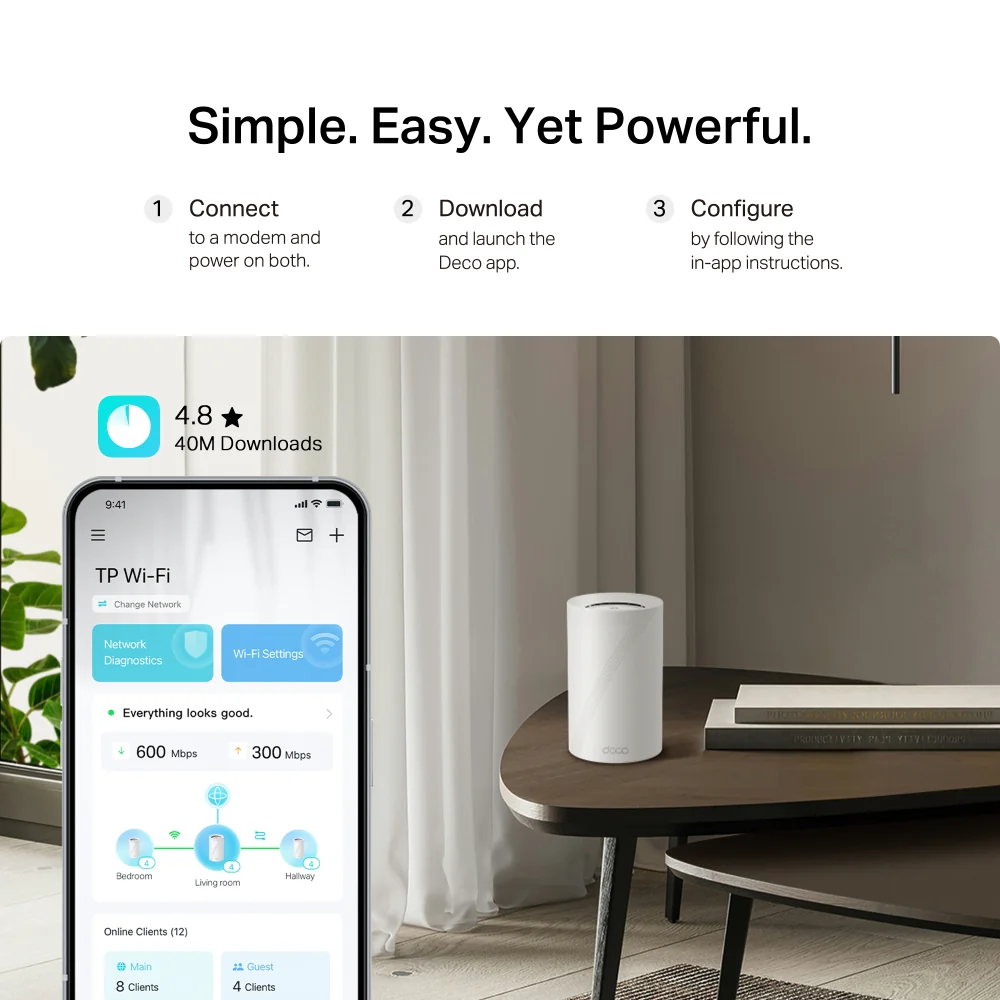
TP-Link has clearly prioritized accessibility with the Deco ecosystem, and the BE14000 continues that tradition by offering one of the simplest setup processes available in modern mesh networking systems.
The process begins by connecting the primary node to a modem using an Ethernet cable, after which the Deco mobile app automatically detects the hardware and guides users through the setup process step by step. Within the app, the system identifies additional nodes, connects them to the network, and optimizes placement for maximum coverage.
The entire process typically takes less than fifteen minutes, even for users with minimal networking experience.
What makes this particularly impressive is that the system manages to hide a large amount of complexity behind its simple interface. The mesh network automatically manages device roaming, channel selection, and traffic distribution across its three wireless bands.
For most households, that means the network simply works without constant tweaking or troubleshooting.
However, more advanced users who want greater control can still access deeper configuration settings through the app, including band selection, device prioritization, and advanced networking options.
It strikes a thoughtful balance between simplicity and flexibility.
Why Wi-Fi 7 actually matters in everyday use
Wi-Fi 7 is often marketed as simply a faster version of previous wireless standards, but its real impact goes beyond raw speed. While the Deco BE14000 supports theoretical speeds up to 14Gbps across its wireless bands, the more meaningful improvements come from how efficiently the network manages multiple devices simultaneously.
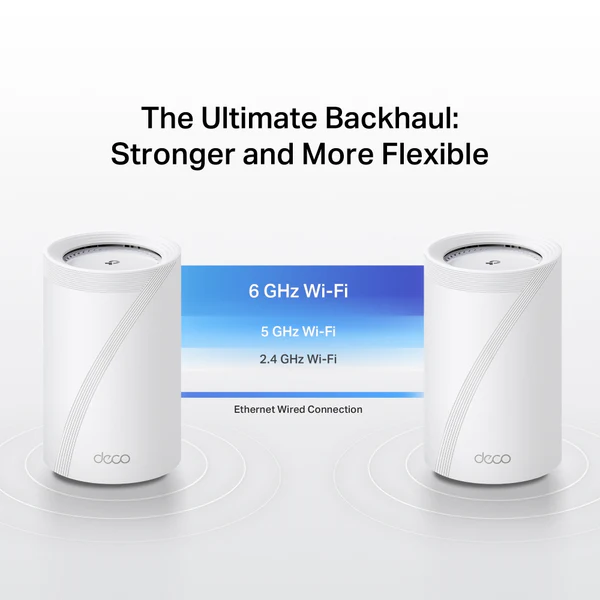
The router distributes bandwidth across three wireless bands: a powerful 6GHz band capable of reaching speeds around 8.6Gbps, a 5GHz band delivering approximately 4.3Gbps, and a traditional 2.4GHz band designed for longer-range connections and smart home devices.
The 6GHz spectrum plays an especially important role because it remains far less congested than older wireless bands. In dense urban environments or apartment buildings where dozens of networks compete for limited spectrum, this cleaner band dramatically reduces interference and improves stability.
For gamers and developers, this can translate into lower latency and more consistent performance when large downloads, cloud synchronization, or multiplayer gaming sessions are happening simultaneously.
Wi-Fi 7 also introduces a technology known as Multi-Link Operation, or MLO, which allows compatible devices to communicate with the router across multiple frequency bands at the same time. Instead of being limited to a single band, devices can dynamically shift traffic between frequencies to maintain the fastest and most stable connection.
This flexibility significantly improves network responsiveness when multiple high-bandwidth tasks are happening simultaneously, such as video calls, game downloads, cloud backups, and streaming media.
In practice, the network feels less congested and more responsive even during peak usage hours.
Connectivity options that appeal to power users
One of the standout advantages of the Deco BE14000 compared with many consumer mesh systems is the inclusion of several high-speed Ethernet ports that give users additional flexibility for wired connections.
Each node includes a 10Gbps Ethernet port, a 2.5Gbps Ethernet port, and a standard 1Gbps port, along with a USB-A port capable of USB 3.0 speeds.
While the 10Gbps port may seem excessive for households currently using gigabit internet connections, it provides valuable future-proofing for homes that may upgrade to faster fiber services in the coming years.
Developers running local servers or NAS storage systems will also appreciate the additional bandwidth when transferring large datasets or media libraries across the network.
The 2.5Gbps port is particularly useful for connecting desktop workstations, gaming PCs, or switches that distribute connectivity to multiple devices within a home office.
Meanwhile, the USB port allows users to connect an external storage drive that can be shared across the network, offering a simple way to create a basic file server or backup location.
These hardware options transform the router from a simple wireless hub into a flexible networking tool that supports both wired and wireless infrastructure.
A mesh network that excels at being invisible
The most impressive thing about the Deco BE14000 is not necessarily its headline speeds or technical specifications.
It is the fact that the network simply disappears into the background.
During extended testing across a busy household environment, the router handled simultaneous activities without noticeable slowdowns or interruptions. Video conferences remained stable even while large files were downloading in the background, and online gaming sessions maintained low latency even when multiple devices were streaming media.
This stability becomes particularly noticeable in homes with extensive smart home ecosystems. With dozens of connected devices communicating through Wi-Fi hubs, automation systems, and voice assistants, weaker routers often struggle to manage the constant stream of network traffic.
The Deco BE14000 handled these conditions remarkably well, maintaining consistent connectivity across more than sixty connected devices without introducing noticeable lag or connection drops.
In many ways, this reliability represents the highest compliment a router can receive.
When networking hardware is doing its job properly, users rarely think about it at all.
The Deco app and network management experience
The Deco mobile app acts as the central command center for managing the entire network, offering a clean interface that balances simplicity with useful monitoring tools.
Within the app, users can quickly view connected devices, run speed tests, monitor bandwidth usage, and manage network settings without navigating complicated menus.
Device management features allow users to pause internet access for specific devices, block unwanted websites, or assign priority bandwidth to certain devices during busy periods.
TP-Link also offers optional subscription services through its HomeShield platform, which includes enhanced parental controls, security monitoring, and VPN integration.
These add-on services introduce additional functionality such as SafeSearch filtering, YouTube restricted mode, and detailed activity reports, although some users may find it frustrating that certain features require an additional subscription.
For most users, however, the built-in tools already provide enough control to manage a home network effectively.
Performance for gamers and developers

For gamers, the Deco BE14000 delivers one of the most important networking qualities: consistency.
Online gaming performance remained stable even during heavy network usage, with minimal spikes in latency during multiplayer sessions. Large game downloads also completed faster than expected thanks to the router’s ability to distribute bandwidth intelligently across devices.
Developers benefit from similar advantages. Tasks such as cloning repositories, syncing cloud environments, and transferring large project files completed reliably without sudden bandwidth drops or connection instability.
Even when multiple devices were actively downloading updates or streaming content, development workflows remained uninterrupted.
The router’s ability to manage simultaneous traffic efficiently ensures that demanding tasks can coexist on the same network without affecting performance.
Price and overall value
The TP-Link Deco BE68, sits comfortably in the mid-to-premium range of consumer mesh routers, offering significantly more capability than entry-level systems while remaining more affordable than many enterprise-style networking solutions.
Considering its Wi-Fi 7 capabilities, tri-band architecture, multi-gig Ethernet support, and excellent real-world stability, the system offers strong value for households that rely heavily on fast and reliable internet connectivity.
Users upgrading from Wi-Fi 6 routers will likely notice immediate improvements in network stability, particularly in environments with many connected devices.
For homes filled with gamers, remote workers, and connected smart devices, the upgrade feels particularly worthwhile.
Final verdict
The TP-Link Deco BE68 BE14000 may not be the most flashy networking system available, but it succeeds where it matters most by delivering reliable, high-performance connectivity across an entire home without unnecessary complexity.
Its combination of tri-band Wi-Fi 7 performance, flexible Ethernet connectivity, and user-friendly management tools makes it especially appealing for gamers, developers, and remote professionals who depend on stable internet connections every day.
Perhaps most importantly, the system achieves something many routers fail to deliver: a network that simply works.
And in the world of modern connected homes, that kind of reliability is worth far more than flashy marketing promises.