

reMarkable Paper Pro Move Review: The Executive Notebook Upgrade You Didn’t Know You Needed
There’s a very specific kind of pain that high-performing professionals don’t talk about enough. It’s not the lack of ideas. It’s not the lack of motivation. It’s the friction between thoughts and capture.
You’re in a board meeting and someone drops a key decision in a single sentence. You’re on a client call and the real opportunity appears between the lines. You’re in an airport lounge finalising a pitch and your brain is firing faster than your tools can keep up. You need to write, search, organise, and retrieve with zero drag. And you need it to feel natural, not like you’re “doing admin.”
That’s the niche the reMarkable Paper Pro Move owns. It’s not an iPad competitor, and it doesn’t want to be. It’s a premium single-purpose device designed for people who live in meetings, strategy, negotiations, creative work, and decision-making. People who take notes for a living, even if their job title says “Founder,” “Partner,” “Director,” or “C-suite.”
And in this smaller Move form factor, reMarkable has arguably created its most compelling product yet. If you’ve ever wanted the elegance of paper with the power of digital search and workflow, the Paper Pro Move is the closest thing to a perfect hybrid I’ve used.
It’s expensive. But for the right kind of user, it’s the kind of expensive that pays you back daily.
Who this is for

The Paper Pro Move is made for professionals who value focus, clarity, and speed of capture. It’s for people who don’t want notifications, emails, or an app store at their elbow while they’re thinking. It’s for anyone whose notes matter, not as scribbles, but as intellectual property: meeting outcomes, strategic thinking, client insight, next steps, frameworks, drafts, and plans.
If you’re a business owner juggling operations and vision, this becomes your executive command notebook. If you’re a consultant or corporate leader, it becomes your meeting machine. If you’re a lawyer, architect, product leader, physician, or anyone in a detail-heavy role, it becomes your reference brain with searchable handwriting.
If you want an all-in-one entertainment tablet, you’re shopping in the wrong aisle. But if you want the best digital notebook experience on the market in a genuinely portable size, this is it.
Design: premium, minimal, and “executive-grade”

reMarkable has always understood that this category lives or dies by tactile experience. If it doesn’t feel excellent, you won’t reach for it. The Paper Pro Move nails that high-end feel in a way that’s hard to overstate.
The anodised aluminium body and textured surfaces give it that quiet luxury vibe. It’s not flashy. It’s not trying to look like a gaming device or a futuristic slab. It feels like a serious tool. Something you’d comfortably put beside a MacBook Pro, a Montblanc pen, or a well-made leather folio and it wouldn’t look out of place.
What’s clever is how the smaller size changes everything. Earlier reMarkables were brilliant, but the size sometimes pushed them into “desk device” territory. The Move is designed to travel like a real notebook. It slips into a bag easily. It’s comfortable to hold in one hand. It’s the first reMarkable that genuinely feels like it belongs in your daily carry without you having to negotiate space with a laptop and phone.
The textured glass surface is one of its biggest wins. There’s resistance when you write, the kind that makes your handwriting look better because your pen isn’t skating around. It avoids that slippery iPad feeling that makes digital writing feel like you’re drawing on a window. Here, it feels like paper, but a very expensive, perfectly consistent piece of paper that never runs out.
Pair it with the folio and it becomes even more convincing as a premium notebook replacement. The folio snaps on magnetically, adds grip, protects the screen, and gives the whole setup that “I’m prepared” energy when you walk into a meeting.
Size and screen: the notebook experience, upgraded
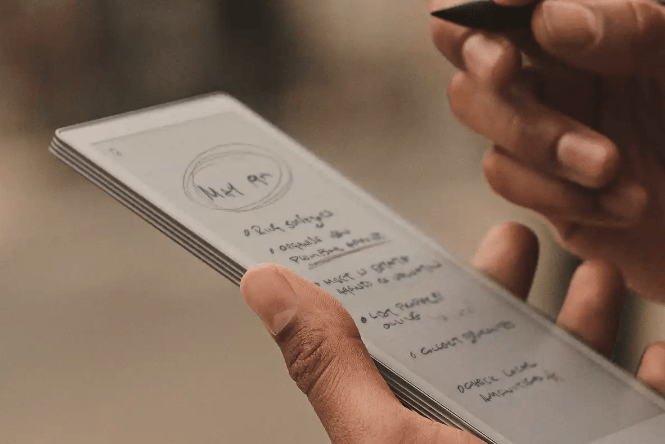
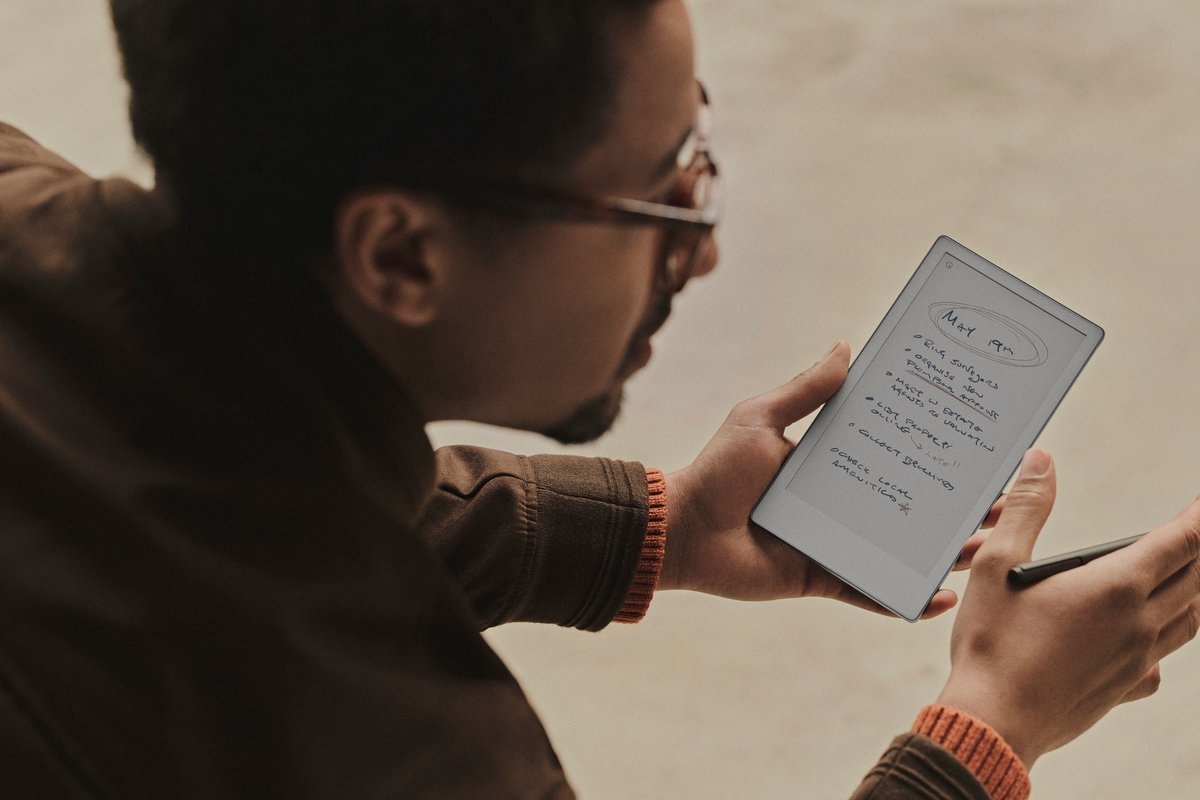
The 7.3-inch Canvas Color display is the smallest reMarkable panel yet, and it’s been designed for note-taking first. This isn’t just a shrunk version of the bigger screen. It’s narrower, more like a reporter’s notebook, and that decision is either going to feel perfect or slightly restrictive depending on how you work.
For high-end professional workflows, it’s a win. To-do lists, meeting notes, action items, project planning, coaching notes, brainstorming, decision trees, and quick drafts all fit naturally. It encourages structured thinking. It nudges you toward clarity. It feels like you’re writing in a notebook that happens to be searchable, archivable, and shareable.
Colour here is smart, not loud. It uses E Ink Gallery 3 tech, so colours appear muted and paper-like rather than bright like an OLED screen. Think printed newspaper, not neon. In a professional context, that’s exactly what you want. Colour becomes a tool for highlighting, tagging, differentiating stakeholders, marking risks, and visually organising a page without turning your notes into a rainbow distraction.
The adjustable light is useful for late flights, hotel rooms, dim meeting rooms, and early mornings. It’s not as bright as a Kindle’s backlight, but it’s good enough in real use and feels more like reading paper under a lamp than staring at a screen. There’s also a boost mode for when you need extra visibility.
The best part is the writing latency and feel. Text appears almost instantly as the Marker moves. It keeps up with fast note-taking. It doesn’t break your rhythm, and rhythm is everything when you’re capturing information at the speed of conversation.
The Marker and Marker Plus: professional pen energy
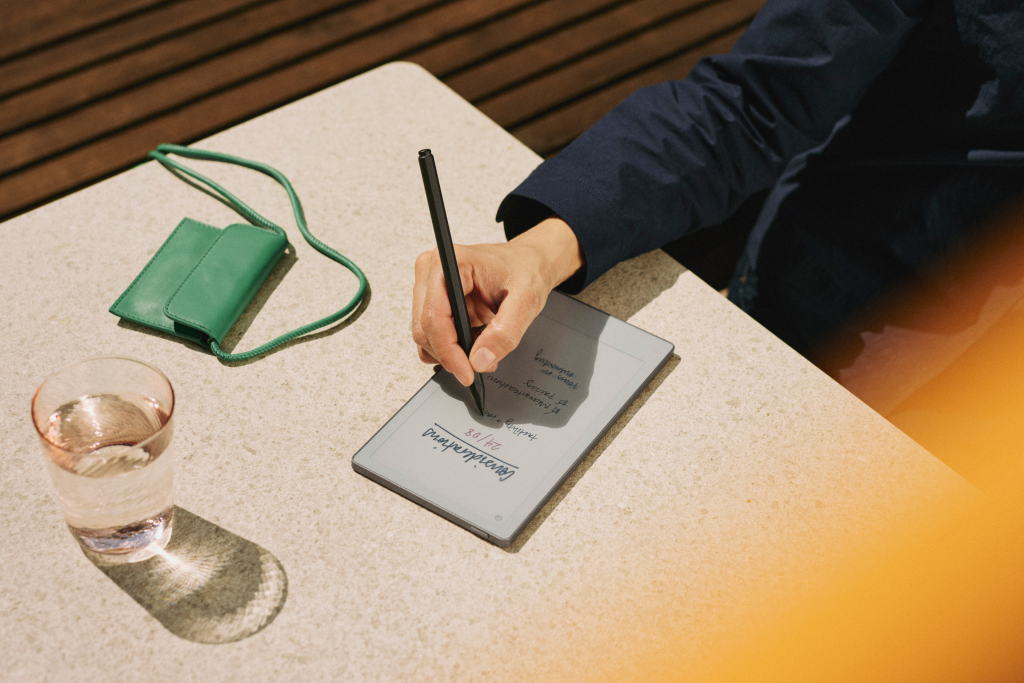
The Move comes bundled with either the Marker or Marker Plus, and both attach magnetically to the side of the device. If you’re taking notes all day, the Marker Plus is the obvious choice because the eraser on the back feels natural. It’s the tiny detail that removes friction, and friction is what these devices are meant to kill.
The pen experience is confident. It’s stable, precise, and tuned for the surface. It doesn’t feel like a stylus pretending to be a pen. It feels like a tool designed for this device, which is exactly what you want at this price level.
Software: beautifully focused, built for deep work
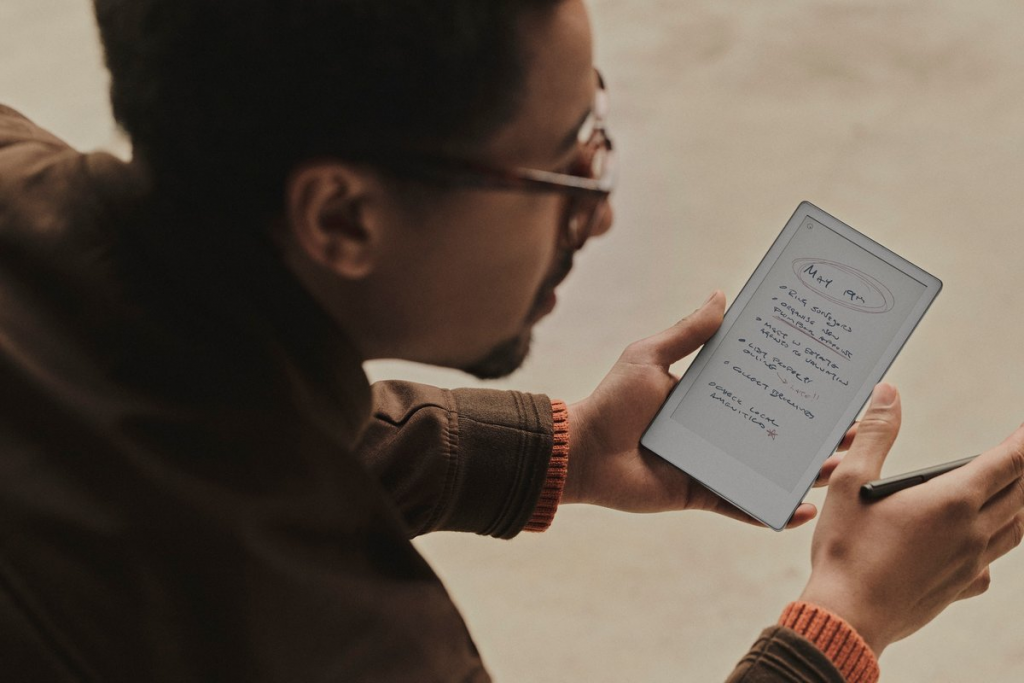
This is where reMarkable wins hearts in corporate and executive circles. The software is designed to do less, but do it better. No app store. No pop-ups. No social feed. No email pings. It’s a deliberate single-function device, and that’s why it works.
You open it and you’re in your notebooks. You create new ones quickly. You organise them into folders. You choose templates that actually make sense for work, like checklists and lined formats. It feels simple because it is simple, and that simplicity becomes a competitive advantage when you’re trying to stay sharp in high-pressure environments.
The standout feature is the handwriting search, powered by OCR. This is the feature that turns a digital notebook into a business tool. You can search for terms inside your handwritten notes and it will find them across notebooks. That means your meeting notes become retrievable assets, not forgotten pages.
Think about the practical impact. You can find “budget” across months of notes before a finance review. You can find “Q3 strategy” before an exec update. You can find a client name and instantly pull up the last three conversations. For professionals who live in meetings, this is pure leverage.
Connectivity: useful, but still intentionally restrained
The Paper Pro Move connects to services like Google Drive and Dropbox, and it can forward files to Slack. There’s also a browser plugin to send articles and content to the device, which is perfect for reading and annotating without distractions.
It’s not as seamless as a full tablet workflow because you often download files to the device, annotate, then upload back. That’s a little clunky compared to a laptop, but it also reinforces the core promise: this device is about focused work, not multitasking.
The companion app on iOS and Android is well-designed and mirrors the device interface, so finding notes on your phone is fast and intuitive. There’s also a web portal, which is useful when you’re moving between devices in a corporate environment.
The subscription question: slightly annoying, still manageable
The Connect subscription will annoy some people on principle, especially at this price point. You get 100 days free, then it’s a monthly or annual fee for features like unlimited cloud storage and editing within the mobile apps.
In a corporate setting, this often becomes a non-issue. The value of frictionless access to notes across devices is real. If the Paper Pro Move becomes part of your daily workflow, the subscription feels more like a professional software cost than a consumer add-on. Still, reMarkable would earn a lot of goodwill by including more of this by default at £399.
Performance: fast, focused, and not trying to be an iPad
The Move runs on a dual-core Cortex-A55 with 2GB RAM. On paper, it sounds modest. In practice, it’s fast enough for its purpose. Navigation is snappy, writing is responsive, and the interface stays smooth.
E-ink has inherent refresh behaviours, especially when using colour, so you’ll occasionally see a slight refresh delay. But it doesn’t feel like lag. It feels like the nature of the display technology, and the trade-off is worth it for eye comfort and that paper-like experience.
Battery life: the main compromise
This is the one area where the Move makes a real trade-off for its smaller size. The battery is much smaller than the larger Paper Pro. Heavy users will likely charge it more often than expected, especially if Wi-Fi and the front light are used frequently.
For high-end professionals, this isn’t a deal-breaker, but it does change how you treat it. You’ll want to charge it like you charge your phone, not like you charge a Kindle. If you travel a lot, you’ll probably keep a USB-C cable in your bag.
It’s the price of going compact, and it’s the most noticeable compromise in an otherwise premium experience.
The bottom line for professionals
If your work involves constant note-taking, the Paper Pro Move is one of the best investments you can make in your day-to-day efficiency. It’s a beautifully built, distraction-free writing tool that turns handwritten notes into searchable, structured assets. It feels premium. It feels intentional. It feels like a product designed for people who take thinking seriously.
It’s expensive, yes. But for business owners, corporate leaders, consultants, and high-end professionals, the cost can be justified quickly. If it replaces messy notebooks, reduces missed action items, improves meeting recall, and helps you retrieve key details instantly, it becomes less of a gadget and more of a productivity multiplier.
This is the best reMarkable yet. Smaller, smarter, wonderfully tactile, and deeply aligned with how professionals actually work.