



Netgear Nighthawk M3 Mobile Hotspot Router Review
Your Phone’s Hotspot Is Lying to You
Most people tether. They pull out their phone, turn the hotspot on, type in the password, and get on with it. It works. Sort of.
The problem is that “sort of” compounds quickly. One extra device connected and speeds drop. Walk slightly further from your bag and the connection stutters. Battery? Gone by 2pm. Anyone who’s tried to keep three people working from a single phone hotspot knows the particular frustration of watching the connection degrade in real time, with no obvious fix other than asking someone to disconnect. The Netgear Nighthawk M3 exists because phone tethering is a workaround, not a solution. And once you’ve spent a full working day running through a dedicated 5G router, going back feels like a genuine step backwards.
The Netgear Nighthawk M3 requires its own data SIM and contract, which adds to the overall cost. But for freelancers, remote workers, photographers, small field teams, or anyone who regularly needs a dependable connection away from fixed broadband, the case for it is stronger than the price tag might initially suggest.
Small Enough to Forget About, Solid Enough to Trust

The Netgear Nighthawk M3 is small. 21.5mm deep, 105mm square, 256g with the battery in. It fits in a jacket pocket at a push, or sits in the front compartment of any bag without drama. The rubberised plastic shell feels solid, not rugged in the IP67-rated sense, but genuinely well-made. It’ll handle a day in a backpack without issue. Don’t drop it off a scaffolding tower and expect it to be fine, but for ordinary working life it’s clearly built to take a knock or two without complaint.
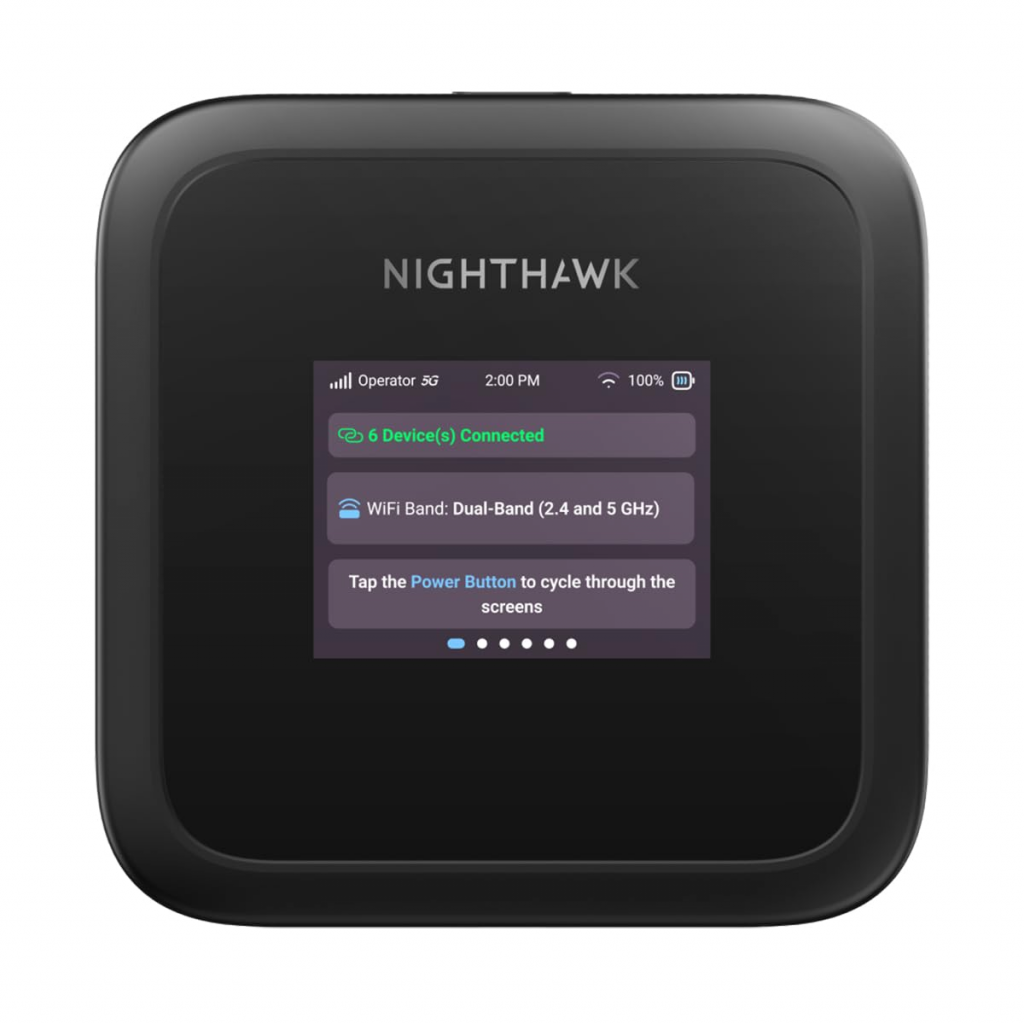
The 2.4-inch colour LCD is more useful than you’d expect. A single button on top doubles as a scroll control, cycling through signal strength, battery level, connected devices, and network info. No touchscreen, which initially seems like a cost-cut, but you realise within an hour that you don’t actually need to touch it. You glance at the screen occasionally, pocket the device, and forget about it until you need to check something. That’s exactly the relationship you want with a utility device.
The removable battery is the quietly smart design choice here. Carry a spare, swap it in seconds. That’s a feature smartphones abandoned years ago and then slowly started bringing back. The M3 never gave it up, and if you’re planning a long day away from power, the ability to simply pop in a fresh battery rather than hunt for a socket is more valuable than it sounds.
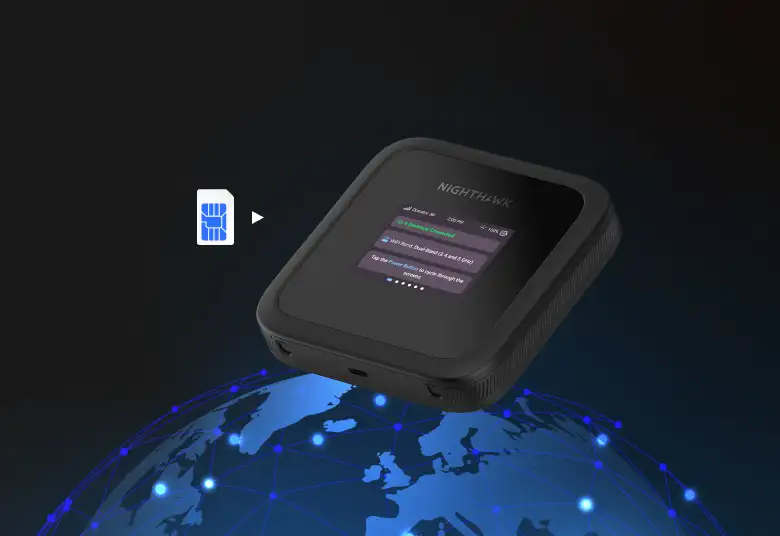
The SIM goes in under the battery. USB-C on the bottom handles both charging and wired data connection if you want to cut Wi-Fi out of the equation entirely. Two TS9 ports allow for an external antenna in areas where signal is genuinely poor, which is a useful option to have even if most users will never need it.
The Numbers That Actually Matter

The Netgear Nighthawk M3 runs on a Qualcomm Snapdragon SDX62 5G modem, rated to 2.5 Gbps download. The Nighthawk M6 and M6 Pro reach 4 Gbps if you need more, but 2.5 Gbps covers anything short of high-volume video production. Video calls, file uploads, email, streaming, light cloud work: all handled without complaint.
Wi-Fi 6 handles the wireless side, supporting up to 32 devices simultaneously and covering a quoted range of 1,000 square feet. That range is generous enough to cover a reasonable working area, whether that’s a rented space, a converted van, or a site office. The battery sits at 5,185 mAh, and the device is certified to work in 125 countries, which makes it a viable travel companion for anyone who works internationally and doesn’t want to rely on hotel Wi-Fi.
Wi-Fi 6 is worth understanding properly, because it’s one of the reasons the Netgear Nighthawk M3 performs noticeably better than a phone hotspot even when signal conditions are similar. Older Wi-Fi standards send and receive data from devices one at a time, which works fine when there’s only one or two devices on the network but starts to bottleneck quickly when several are competing for bandwidth at once. Wi-Fi 6 introduces a technology called OFDMA, which allows the router to communicate with multiple devices simultaneously rather than taking turns. The practical upshot is that the more devices you add, the less the M3 struggles. A phone hotspot running on older Wi-Fi standards tends to slow down noticeably as you stack devices on it. The M3 handles that load far more gracefully. It also brings improved battery efficiency for connected devices, because Wi-Fi 6 lets the router schedule when each device wakes up to send and receive data rather than having everything broadcasting constantly. Over a long working day, that adds up.
Out in the Field: Where It Actually Counts

Setup is fast. Charge via USB-C, insert a SIM, power on, scan a QR code to join the network, scan another to register the admin. The whole process takes under ten minutes from box to browsing, even for first-time users. There’s no software to install, no desktop app to configure, nothing complicated.
The gap between Netgear Nighthawk M3 and a tethered iPhone 15 Pro was obvious from the first test. Same Vodafone 5G contract, same location. The iPhone showed three bars of signal. The M3 showed five. Download speeds through the M3 came in at roughly double what the phone’s hotspot produced. With two MacBook Pros, an iPhone, and an iPad all connected at once, everything stayed fast and stable throughout. Running the same four devices through the iPhone hotspot produced sluggish, unreliable performance that got noticeably worse the longer it ran.
Battery life in practice landed between eight and ten hours under real working conditions, which falls short of the advertised thirteen hours but is understandable. Testing involved mixed 4G and 5G environments, which force the modem to work harder as it searches for the best available signal. That’s the same behaviour you’d see on any phone in the same conditions. Eight hours with four devices connected is still comfortably better than what a smartphone manages before it starts begging for a charger.
One use case that emerged unexpectedly during testing was running the M3 permanently connected to a set of garage security cameras, backed by a Bluetti battery system for power continuity. When the home broadband dropped or the power cut out, the cameras stayed online without interruption. It’s a secondary trick that most buyers won’t think about until they need it, but it illustrates how versatile the device is beyond straightforward mobile working.
Who Should Actually Buy This
If you work away from a fixed office regularly, whether that’s photographing on location, visiting construction sites, travelling between clients, or working from trains and cafés, the M3 makes a strong case for itself. It’s particularly good for small teams who would otherwise each be fighting with their own phone hotspot. One Netgear Nighthawk M3 , everyone connects, nobody’s battery dies, and the connection holds up in a way that individual phone hotspots rarely do when you stack multiple devices on them.
The security angle is worth taking seriously too. Working from a café on public Wi-Fi is a gamble most people take without thinking much about it. Carrying your own private 5G network removes that risk entirely, which matters more the more sensitive the work you’re doing.
That said, if you tether occasionally, perhaps once a fortnight when you happen to be out of the office, this is probably overkill. The device cost combined with an ongoing SIM contract adds up, and for light, infrequent use, a phone hotspot remains perfectly adequate. The Netgear Nighthawk M3 earns its keep for people who need it regularly, not people who need it occasionally.
The Verdict: Buy the Thing
The Netgear Nighthawk M3 does what it promises, and it does it well. It’s faster than phone tethering, more stable, better range, and far kinder to your phone’s battery over the course of a working day. The removable battery, the solid build quality, and the clean LCD all feel like decisions made by people who actually thought about how this device gets used in the real world rather than on a spec sheet.
The ceiling of 2.5 Gbps means it’s not the fastest hotspot router Netgear makes. The M6 takes that title if raw throughput is the priority, and it’s worth a look if you’re doing anything particularly demanding. But Netgear Nighthawk M3 hits the right balance of speed, portability, battery life, and price. It’s the kind of device you buy once, build into your working routine, and then quietly wonder how you got along without it.