


Thinkware U3000 Pro Review: Built to Watch, Designed to Disappear
Dash cams sit in a strange category of tech. Nobody buys one for fun. You buy one because the world is unpredictable, roads are chaotic, and when something goes wrong, memory alone isn’t good enough. A dash cam is your silent witness, your insurance policy, your calm voice in a stressful situation. And if that witness is going to sit on your windshield 24/7, it had better be discreet, intelligent, and have exceptionally good eyes.
That’s exactly where the Thinkware U3000 Pro positions itself. This isn’t a flashy gadget chasing gimmicks. It’s a serious, well-considered piece of safety tech built for drivers who want reliable footage, strong night performance, and a design that doesn’t constantly remind you it’s there.
Thinkware already earned trust with the original U3000. The Pro version doesn’t reinvent the wheel, but it refines it in all the ways that actually matter. HDR support, upgraded sensors, higher storage capacity, flexible camera configurations, and an emphasis on intelligent monitoring rather than novelty features. This is a dash cam designed to work with you, not distract you.
Design that respects your field of view
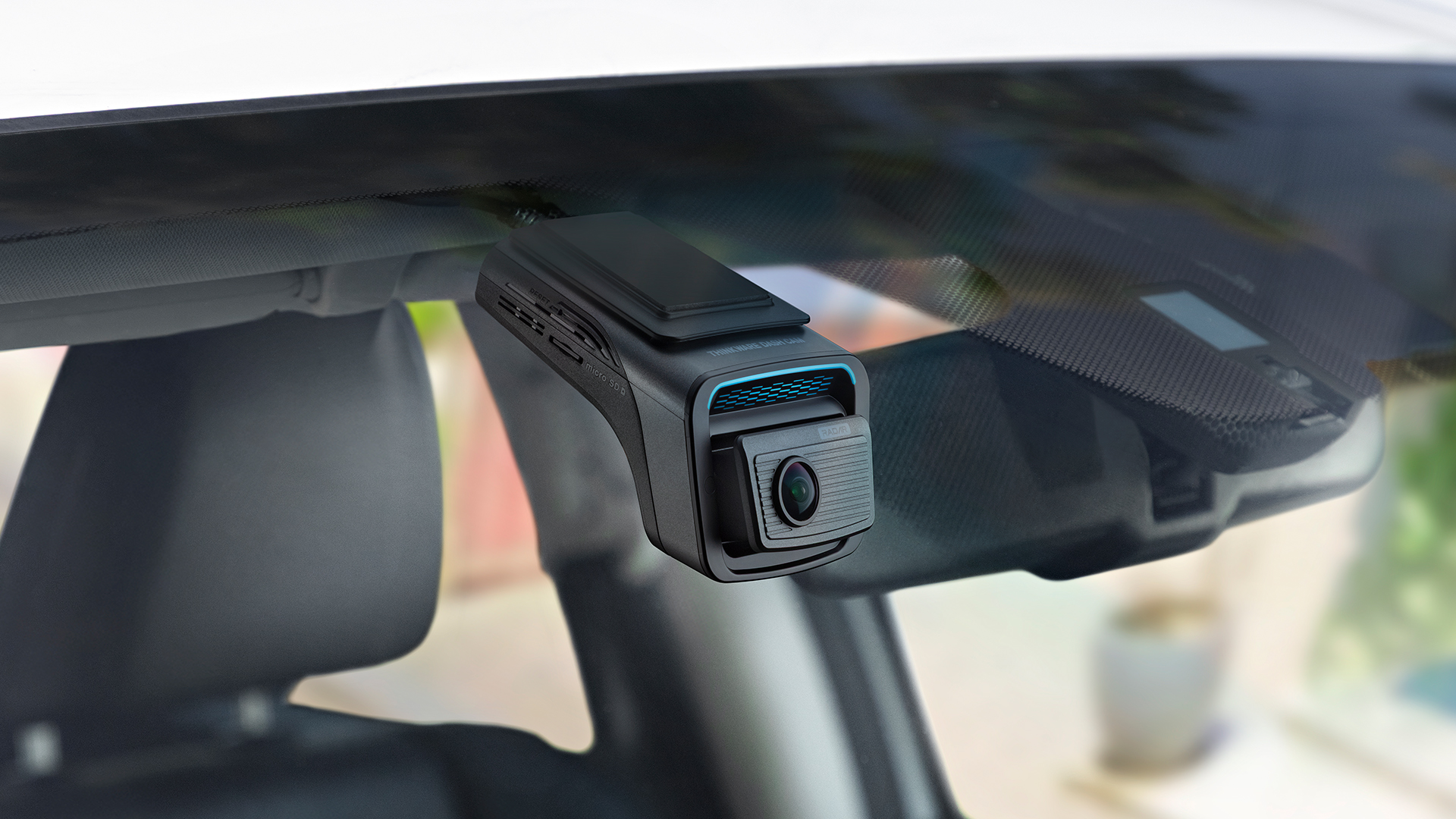
One of the most underrated aspects of a dash cam is how it integrates into your car’s interior. You don’t want a bulky box hanging in your line of sight. You don’t want something that screams “aftermarket accessory.” You want something you forget about until you need it.
The U3000 Pro absolutely nails this.
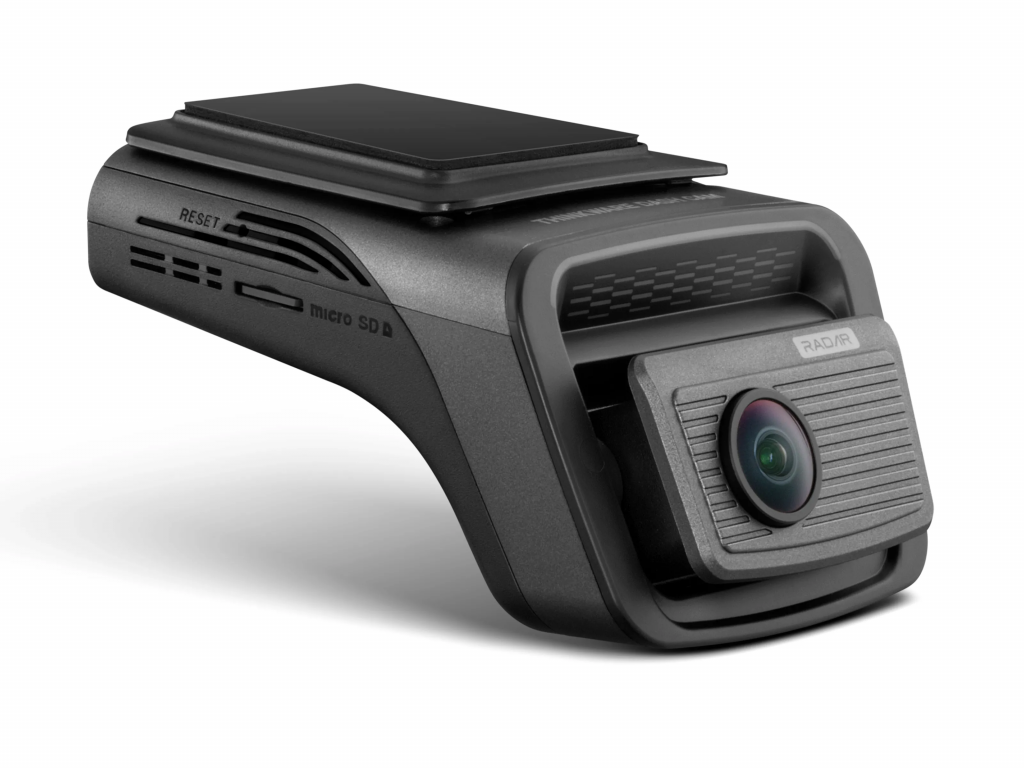
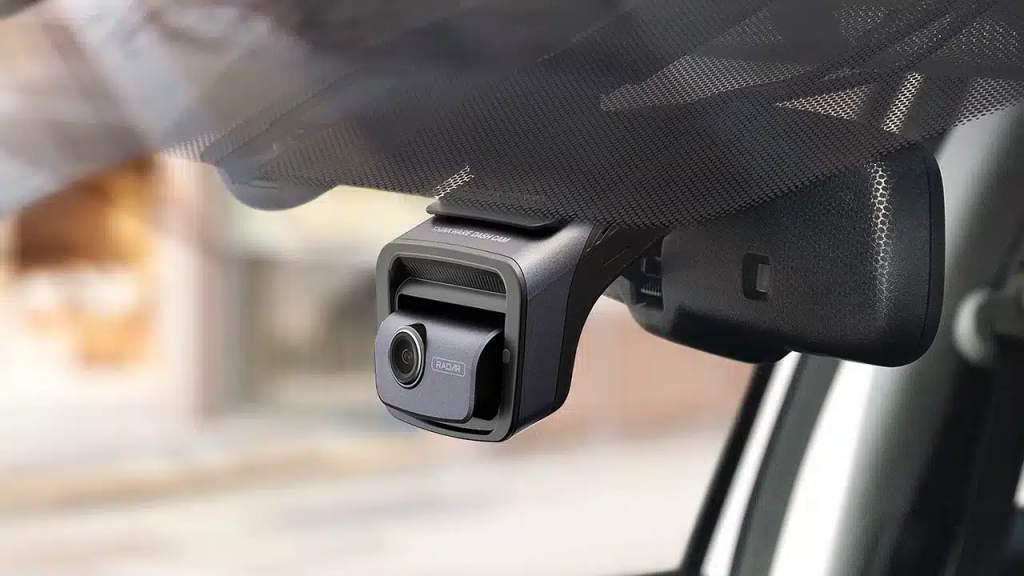
Its slim, low-profile design hugs the windshield and disappears behind the rear-view mirror with ease. Measuring just 55.5mm tall and 98.1mm long, it’s compact enough to feel almost factory-installed once mounted. This is the kind of dash cam you stop noticing after a few drives, which is exactly how it should be.
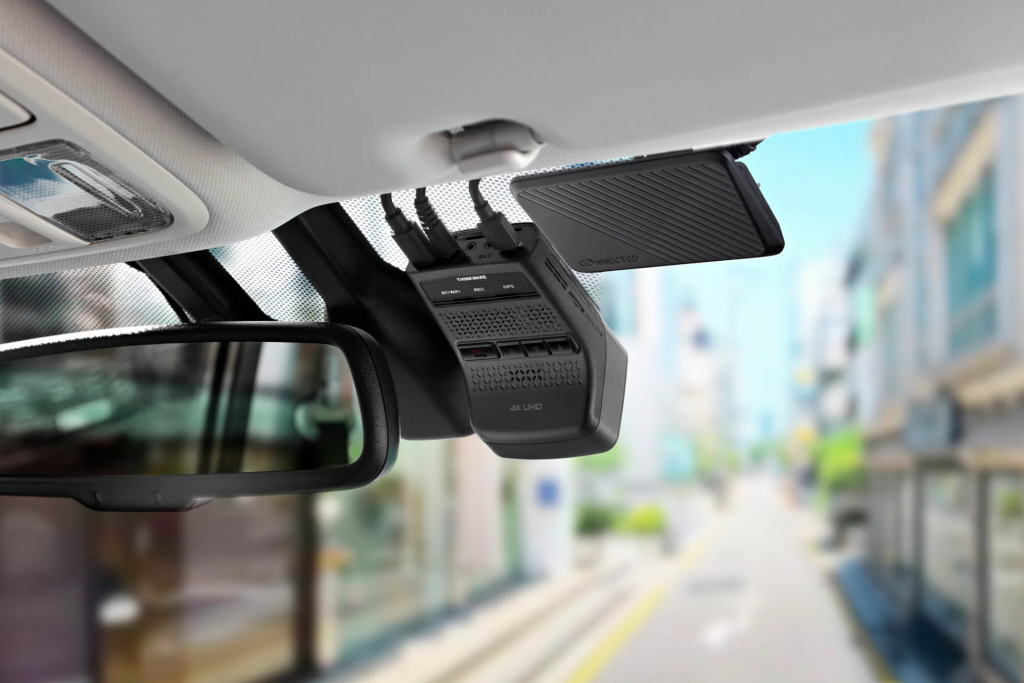
The button layout is refreshingly logical. Four physical buttons handle recording, power, Wi-Fi pairing, and microphone control. They’re easy to reach but rarely needed once setup is complete. The LED indicators for recording, GPS, and connectivity are subtle and informative without being distracting, even during night driving.
Installation uses a double-adhesive mount rather than a mechanical bracket. While an adjustable bracket might sound more convenient on paper, the adhesive mount contributes to the camera’s stability and slimness. With the live view available through the mobile app, dialing in the correct angle takes minutes, not frustration.
This is a dash cam designed to blend in, not compete with your dashboard.
Modular camera setup that grows with your needs
One of the U3000 Pro’s biggest strengths is flexibility. It can function as a single front-facing camera, a dual-channel front-and-rear system, or a triple-camera setup with an additional interior or auxiliary camera.
Thinkware clearly understands that different drivers have different priorities. Daily commuters might only need front coverage. Families may want rear footage. Rideshare drivers or fleet users might need interior monitoring. The U3000 Pro supports all of it without forcing you into a one-size-fits-all configuration.
Connectivity is handled via mini USB for the rear camera and USB-C for additional accessories. The microSD slot now supports cards up to 512GB, which is a significant upgrade and hugely important if you’re recording in high resolution or relying heavily on parking surveillance.
This is long-term thinking. You buy the camera once and scale it as your needs evolve.
Camera hardware that prioritises real-world clarity
Let’s talk about the heart of any dash cam: the cameras themselves.
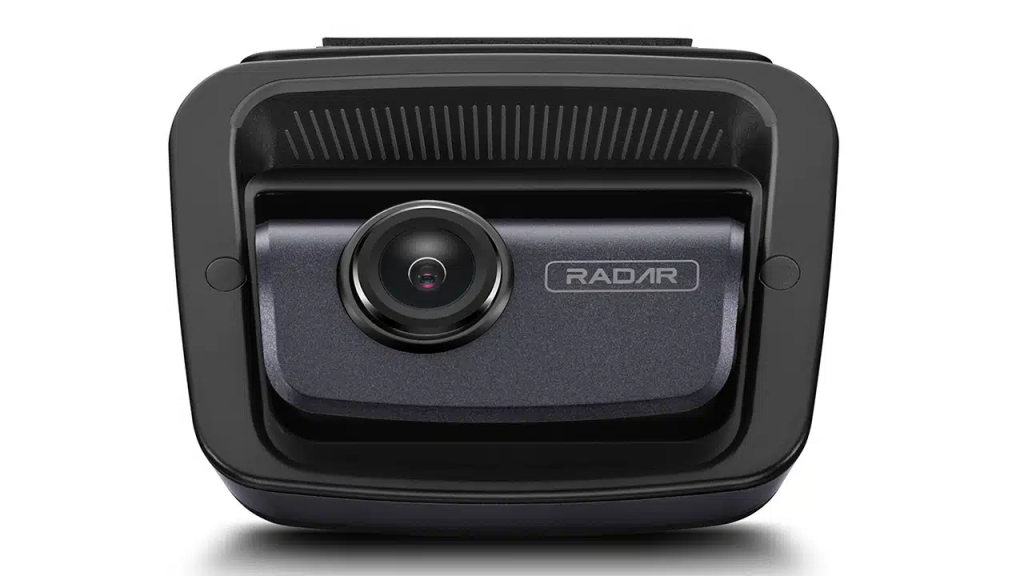
Thinkware made a smart move by upgrading to Sony STARVIS 2 sensors, using the IMX678 for the front camera and IMX675 for the rear. These sensors are well-regarded for their low-light performance and balanced colour handling, and they show their strengths clearly here.
The front camera records in 4K UHD at 30fps or 2K at 60fps. The rear camera captures 2K footage at 30fps. HDR is supported on both cameras, with the front camera’s HDR active in 4K mode.
In daylight conditions, footage looks clean, stable, and natural. Colours aren’t over-processed, and contrast remains controlled even in challenging lighting. HDR makes a noticeable difference when driving into direct sunlight or through areas with alternating light and shadow.
License plates are readable when vehicles are at realistic distances, which is the metric that actually matters. No dash cam on the market can consistently read plates from extreme distances in harsh glare, and the U3000 Pro doesn’t pretend otherwise. What it does do is ensure that critical details are captured when they count.
Night performance that inspires confidence
Night driving is where many dash cams fall apart. Headlights blow out highlights, noise creeps into shadows, and crucial details disappear. The U3000 Pro handles these conditions with impressive composure.
Thinkware’s Super Night Vision 4.0 plays a big role here. The system intelligently adjusts ISO and exposure to reduce noise while maintaining detail. Headlights from oncoming traffic are controlled rather than blinding, and nearby license plates remain legible in most scenarios.
Urban night footage looks especially good, with street lighting handled smoothly and minimal flicker. On darker roads, the camera prioritises usable detail over artificial brightness, which results in footage that feels honest rather than exaggerated.
Is it perfect? No dash cam is. Extremely dark environments still pose challenges, and distant plates won’t magically appear. But for real-world driving, the U3000 Pro delivers footage you can rely on.
Viewing angle: a small compromise, easily managed
If there’s one area where the U3000 Pro could improve, it’s the front camera’s viewing angle. At 147.2 degrees, it’s slightly narrower than some competitors and noticeably narrower than the rear camera’s 156.4 degrees.
On smaller vehicles, this isn’t a major issue. On wider vehicles like SUVs or crossovers, you may notice less peripheral coverage. This is a limitation worth acknowledging, but it’s far from a deal-breaker.
Why? Because the trade-off is reduced distortion. Thinkware clearly prioritised image clarity and minimal fisheye effect over extreme width. For capturing incidents directly in front of the vehicle, this choice makes sense. It’s a professional, conservative decision rather than a spec-sheet flex.
Software where the Pro really shines
Out of the box, the U3000 Pro works well. But where it truly excels is when you dive into the companion app and start tuning.
Thinkware gives you deep control over exposure, brightness, HDR behaviour, sensitivity levels, and recording parameters. This isn’t a “set it and forget it” camera if you want maximum performance. It’s a “set it right” camera.
Once dialled in, the improvement is obvious. Footage becomes more balanced, shadows retain detail, and highlights are better controlled. Yes, this requires a bit of patience, but for drivers who care about quality, it’s a worthwhile investment of time.
This is what makes the U3000 Pro feel genuinely professional. It doesn’t hide complexity behind oversimplified presets. It gives you the tools and trusts you to use them.
Safety features that actually matter
Beyond recording, the U3000 Pro is packed with safety-focused intelligence.
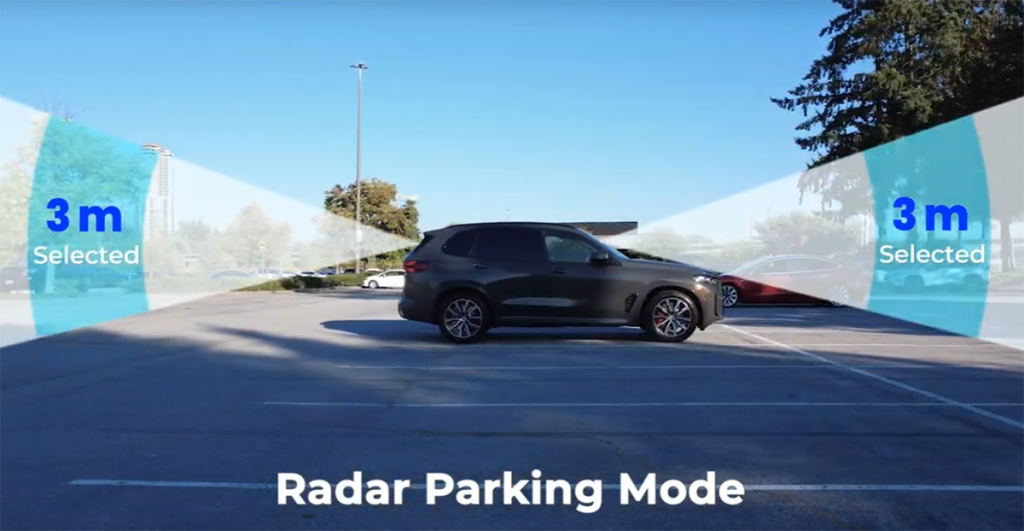
Parking surveillance is a standout feature. With the included hardwiring kit, the camera continues monitoring your vehicle when parked, detecting motion and impacts. Remote live view lets you check on your car from your phone, which is invaluable in busy urban environments.
Impact detection is responsive without being overly sensitive, striking a good balance between awareness and false alerts. Motion detection works reliably and doesn’t drain storage unnecessarily.
ADAS features such as forward collision warnings, front vehicle departure alerts, and traffic signal notifications are included. These systems can feel redundant if your car already has factory-installed equivalents, and some alerts can be overly cautious. Thankfully, they’re optional and easily disabled.
Thinkware doesn’t force these features on you. They’re there if you want them, and invisible if you don’t.
App performance: the one real frustration
If there’s a genuine sore spot, it’s the mobile app’s speed, particularly on iOS. Connecting to the camera and pulling footage can feel sluggish, especially compared to the otherwise premium experience.
This isn’t a deal-breaker, but it’s noticeable. Power users may still prefer removing the microSD card for faster access, which feels slightly at odds with an otherwise polished system.
The good news is that this is a software issue, not a hardware limitation. With updates, it’s entirely fixable, and Thinkware has a track record of supporting its products post-launch.
Living with the U3000 Pro
Day to day, the U3000 Pro does exactly what a great dash cam should do: it disappears. It records quietly, reliably, and intelligently. It doesn’t nag you. It doesn’t clutter your view. It just works.
When something happens, it’s there with clear, usable footage. When your car is parked, it watches over it. When lighting conditions change, it adapts. When you want control, it gives it to you.
This is a dash cam for drivers who see safety as a system, not a checkbox.
Final verdict: a professional tool in a discreet body
The Thinkware U3000 Pro isn’t trying to be the loudest or flashiest dash cam on the market. It’s trying to be the most dependable. And in that mission, it largely succeeds.
Yes, the viewing angle could be wider. Yes, the app could be faster. But these are minor blemishes on an otherwise excellent package. What matters most is that the U3000 Pro delivers clear, consistent footage, strong night performance, intelligent safety features, and a design that respects your driving experience.
If you’re the kind of driver who wants a dash cam you can trust without constantly thinking about it, the U3000 Pro is an outstanding choice. It’s not just a camera. It’s peace of mind, quietly mounted behind your mirror, watching the road so you don’t have to.